Backrest Backup: Build, Test, and Recover Safely
Build a dependable Backrest backup workflow: define scope, protect repository access, schedule snapshots, validate data, and test restores safely.
Start with the recovery outcome, not the backup button
A **Backrest backup** is a sensible way to make restic repositories and scheduled backup work easier to operate, but it is only dependable when you can answer five questions: what data is included, where the encrypted repository lives, who holds the credentials and recovery secret, which snapshots are retained, and how you will restore into a safe target. A completed scheduled run proves that the configured job completed; it does not prove that the selected data can recreate your service.
Before configuring anything, define the recovery point objective (RPO)—the maximum acceptable data loss measured in time—and the recovery time objective (RTO)—the maximum acceptable time to restore service. These are planning targets, not properties automatically supplied by a backup interface. A nightly database dump may meet a 24-hour RPO for a small internal service, while an order-processing system may need more frequent, application-specific recovery points.
Write a small recovery map for each server. Include application uploads or persistent files, database data or database-consistent exports, configuration and deployment files, TLS or other service material where appropriate, and the information required to locate and unlock the repository. Docker containers themselves are usually reproducible from images and Compose definitions; their named volumes and bind-mounted state need separate attention. Docker documents that volumes persist outside a container lifecycle, which is why they must be identified explicitly in your scope map ([Docker volumes documentation](https://docs.docker.com/engine/storage/volumes/)).
- Service and owner: the application being protected and the person who can make recovery decisions.
- Sources: exact paths, named volumes, database names, and any exclusions that are intentional.
- Dependencies: object storage, DNS, secrets, package repositories, container images, and external services needed after restore.
- Recovery evidence: the last tested snapshot, test date, elapsed time, result, and remaining gaps.
Design the repository and access model before scheduling jobs
Backrest is commonly used around restic backup repositories, so treat the repository as a security and recovery boundary. Give each environment or recovery domain a deliberate repository location and prefix rather than placing unrelated production and test systems into an ambiguous shared destination. Record the backend type, bucket or storage location, repository prefix, credential owner, and access method in protected operational documentation.
Keep repository credentials and the restic password or recovery secret separate from the server’s ordinary login details. Encryption protects repository contents only while the decryption material remains available to the people who must recover. Do not put passwords in shell history, Compose files committed to source control, or ticket comments. Use the secret-handling approach appropriate to your environment, then verify during a drill that an authorized operator can retrieve the needed material without relying on one unavailable person.
Object storage is part of the backup system, not a passive destination. The backup identity needs access that matches the repository operations you intend to run, including listing and reading objects as well as writing them; retention and pruning may require delete permissions. Scope that access to the intended bucket and repository prefix, and understand whether storage versioning, retention controls, quotas, or lifecycle rules change deletion and cost behavior. For backend-specific setup, start with the relevant [Restic documentation](https://restic.readthedocs.io/en/stable/) and your storage provider’s documentation.
A control plane can reduce operational friction, but it does not remove ownership decisions. For small Linux teams, [Rested Backups](https://restedbackups.com) is designed to keep encrypted restic schedules, outcomes, snapshots, and restore work visible while the team continues to control its storage account, permissions, and recovery key. That visibility is useful for noticing a missed schedule or a failed run; it is not a substitute for selecting the correct paths and rehearsing a restore.
- Separate production from non-production recovery data unless you have documented reasons and access controls for combining them.
- Record the repository address and backend configuration outside the server that may need to be rebuilt.
- Use a backup identity scoped to its repository prefix instead of broad storage-account credentials where the provider permits it.
- Preserve recovery-secret access through an organizational process, not only an individual administrator’s account.
Back up application state in a recoverable form
File backup is appropriate for ordinary application files, uploads, generated assets, configuration, and other data that can be read consistently while the backup runs. A live database directory is different: copying database files while the database is actively writing can leave you with data that is incomplete or unsuitable for the database’s recovery process. Prefer a database-native logical export, a supported physical-backup method, or a deliberate quiescing procedure suited to that engine.
For PostgreSQL, a common logical-backup pattern is to run pg_dump for an individual database and retain its output as a named backup artifact that your restic job protects. PostgreSQL’s backup documentation explains the different logical and physical approaches, including the fact that cluster-wide objects can require separate handling. Decide early whether you need one database, every database, or cluster-level globals; a backup that omits roles or required extensions may restore data but still fail to recreate the service ([PostgreSQL backup and restore documentation](https://www.postgresql.org/docs/current/backup.html)).
The safe execution context for a database export is the database host or an administrative container with a least-privilege backup account and secure credentials. Write exports to a protected staging directory, use an atomic temporary filename and rename after the export succeeds, and make the backup job fail if the export command fails. Do not silently continue and upload an old dump that happens to be present from yesterday.
For a Compose deployment, inventory every volumes: declaration and every host bind mount before setting source paths. Back up the Compose definition and non-secret configuration needed to recreate the service, but handle secrets through your approved secret-recovery process rather than indiscriminately copying every credential file to broad-access storage. If an application writes both a database and an uploads directory, define whether their backup timing needs coordination and document the acceptable inconsistency window.
- Include: application uploads, user-generated files, database-consistent artifacts, deployment definitions, and required non-secret configuration.
- Exclude deliberately: caches, transient build output, container layers, and temporary files that do not affect recovery.
- Validate before backup: confirm each selected path exists, is readable to the backup process, and contains the state you expect.
- Document restore order when one component depends on another, such as a database before the application service.
Schedule, inspect, and validate more than job success
Set a schedule from the RPO, then set retention from business, legal, and operational needs. Retention is a decision about which recovery points remain available; cleanup or pruning is a separate operation that can reclaim unreferenced repository data. Avoid copying an arbitrary “daily, weekly, monthly” rule without checking whether it preserves the points you need for deployments, billing cycles, or delayed discovery of an error.
After the first run and at a regular review interval, inspect the job result, elapsed time, source warnings, snapshot date, and repository location. A sudden drop in transferred data can be expected from deduplication, but it can also signal that a mount disappeared or an exclusion became too broad. A sudden increase can indicate a changed source path, log growth, or an unexpected new data set. Investigate changes against the scope map rather than treating a green status as the only signal.
Run repository integrity checks on a cadence appropriate to repository size, storage cost, and operational risk. A clean restic check is useful evidence that repository data and metadata can be read consistently; it does not prove the repository contains the right application state or that the application starts after restore. Keep these two questions separate: “can the backup tool read the repository?” and “can we recover the service we need?”
Treat both explicit failures and missing expected activity as actionable. Common failure modes include expired storage credentials, a full or quota-limited destination, an offline server, unreadable paths, a missing mounted volume, a failed database export, and retention work blocked by insufficient deletion permission. Alerting should detect a non-zero job result and a job that did not begin by its expected window.
- Confirm the scheduled job ran at the expected time and completed without source or repository errors.
- Confirm a new snapshot exists and represents the intended host, paths, tags, or backup artifacts.
- Run and record a repository integrity check according to your documented maintenance cadence.
- Alert when the newest usable recovery point is older than the RPO you selected.
Make restore testing the proof that matters
The safest default restore test writes to an isolated directory, disposable virtual machine, or separate Compose project—not over the production source. Select a known snapshot, restore only the paths or artifacts needed for the test, and compare the restored output with your scope map. This protects production while giving you evidence about permissions, repository access, recovery-secret availability, artifact completeness, and the practical time required.
For a PostgreSQL logical dump, create a temporary database or isolated database instance, restore the selected artifact using the matching PostgreSQL tools and version-compatible environment, then run a basic application or SQL smoke test. Check that required schemas, expected tables, row counts or representative records, roles needed by the application, and extensions are present. Do not point a test restore at the production database name or production connection string.
A useful smoke test goes beyond “the restore command exited zero.” Start the recovered service with non-production credentials and endpoints, load a representative page or API route, read a known uploaded object, and perform a safe read-only database query. Record the snapshot identifier, test environment, commands or UI actions used, elapsed time, failures found, and follow-up owner. This turns a one-time drill into a repeatable operational control.
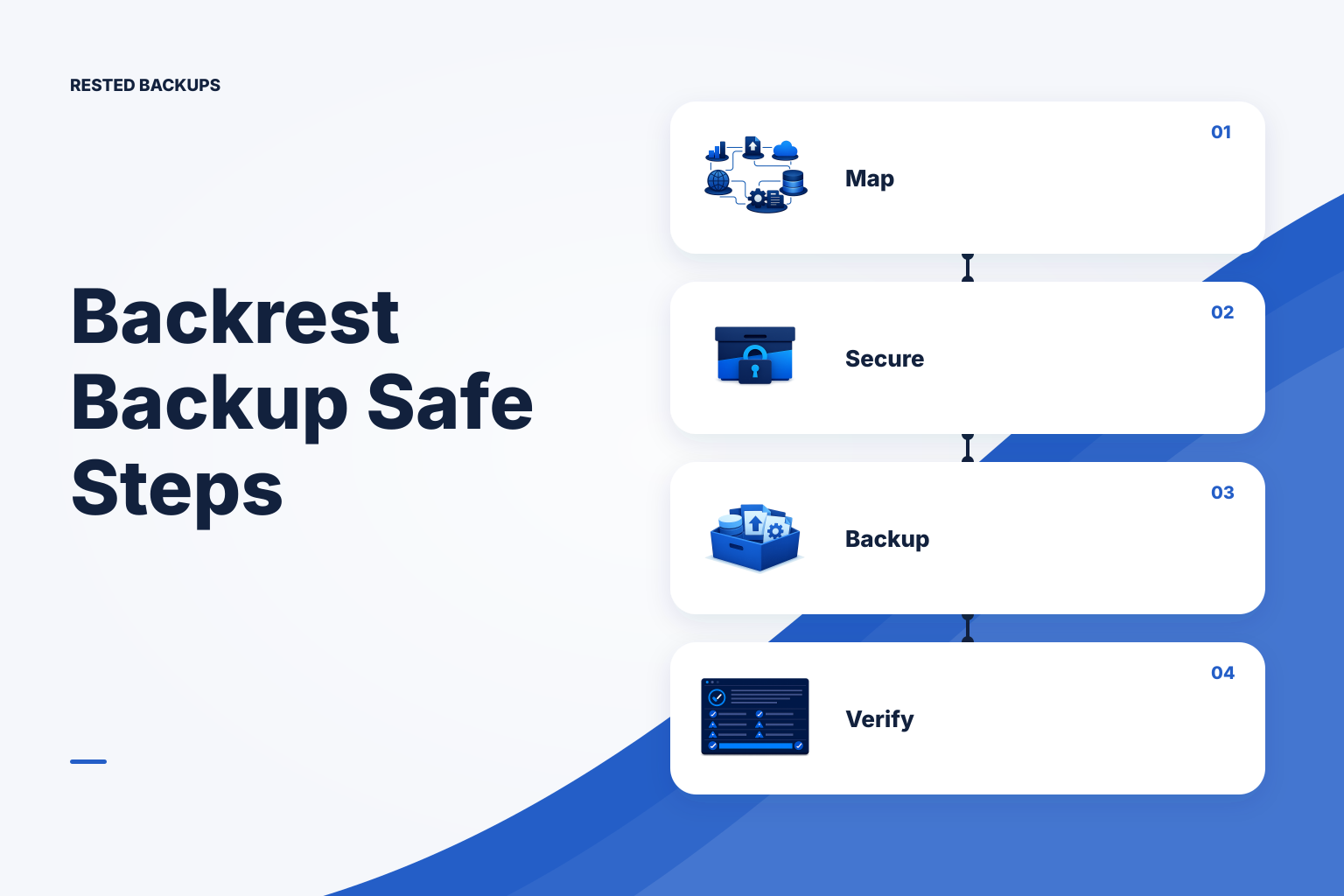
Use this backrest backup checklist as a recurring routine: map recovery targets, protect the repository and recovery secret, back up database-consistent artifacts rather than live database files, review scheduled runs and snapshot freshness, check repository health, and restore into isolation on a defined cadence. If you cannot complete one of those steps, treat it as a recovery gap to fix before an outage chooses the conditions for you.
- Can the authorized operator obtain the repository location, storage credentials, and recovery secret through the documented process?
- Can the operator identify the right snapshot and restore only the intended files or backup artifact?
- Can the application or database start in isolation and pass a representative read-only smoke test?
- Did the recorded restore duration meet the RTO target, or does the plan need faster infrastructure, smaller scopes, or a different recovery design?
Technical basis
First-party references
Technical claims and limitations in this guide were checked against these primary sources. Confirm version-specific behavior when designing a production recovery process.
Related from Rested
Common questions
Frequently asked questions
Is a successful Backrest backup enough to prove recovery?
No. It shows that the configured backup operation completed, but it may not prove the job included all required sources, the database export was usable, credentials are available, or the application works after restore. An isolated restore and application-level smoke test provide stronger evidence.
Should I back up a running database data directory?
Usually not as a general file-copy task. Use the database engine’s documented logical or physical backup method, or a tested snapshot method that is appropriate for the engine and storage layer. The correct choice depends on the database, recovery-point needs, size, and operational constraints.
How often should I test a restore?
Choose a cadence based on service criticality, rate of change, and how often the infrastructure or backup configuration changes. Test after major changes to storage, credentials, database versions, source paths, or deployment design, and schedule recurring tests so evidence does not become stale.
Can I use one repository for several servers?
You can, but first decide whether the servers share administrators, retention requirements, recovery timing, and acceptable blast radius. Separate repositories or prefixes often make access control, investigation, retention, and recovery ownership clearer, especially between production and non-production systems.
What should I do when a scheduled backup is missing?
First determine whether the host was online and whether the scheduler ran. Then inspect backup logs or the control-plane run history, storage credentials and quota, repository reachability, and source-path availability. Do not wait for the next planned run if the newest usable snapshot is already outside your RPO.