Back up Linux servers without living in cron logs.
Rested schedules encrypted Linux server backups, surfaces failures, keeps history, and starts restores without digging through cron logs.
Free plan: 1 server, 1 backup target, daily backups, and no credit card required. Compare plan limits Paid plans include MCP access.
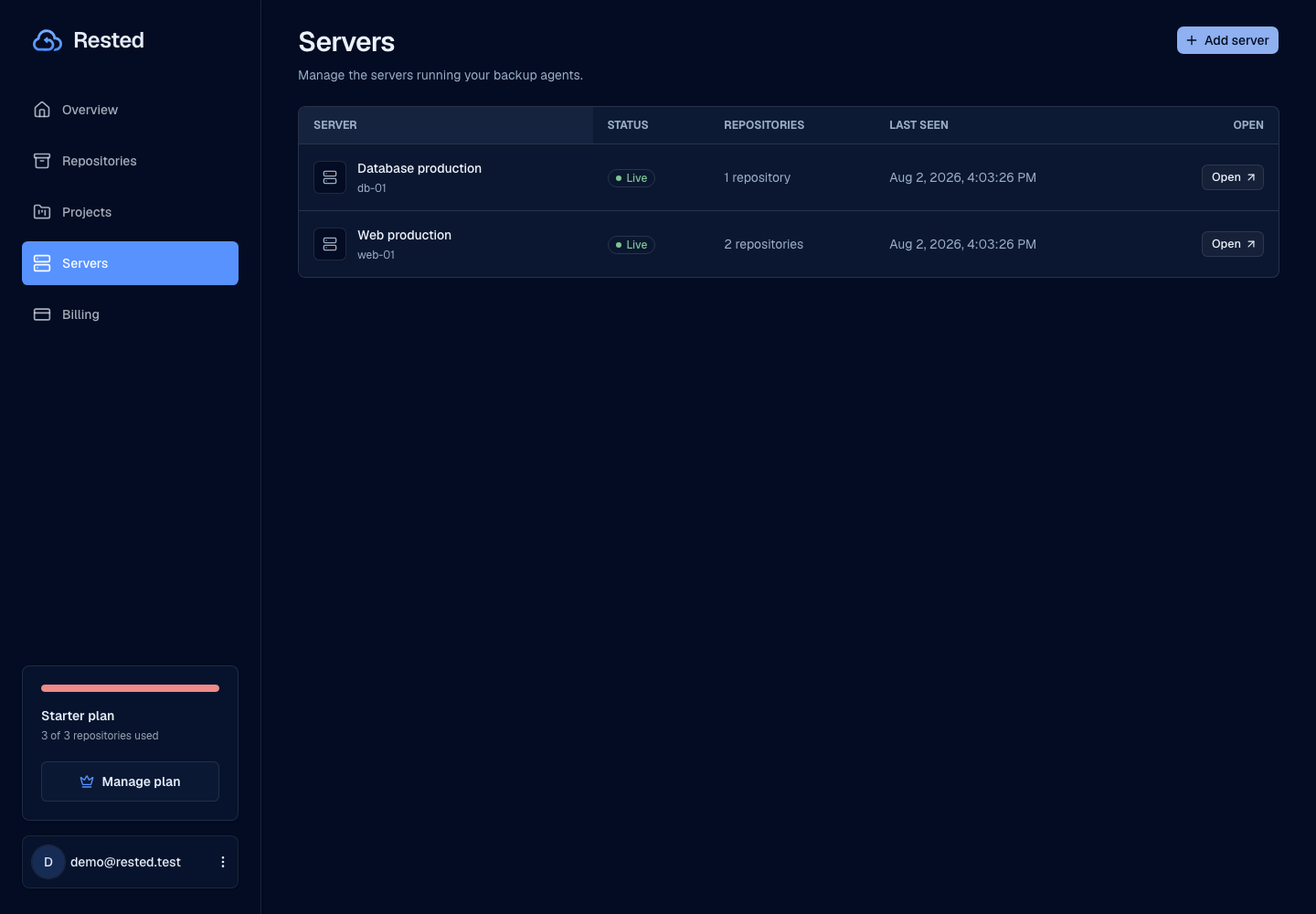
From enrolled server to restorable snapshot
Rested keeps setup, scheduling, failure visibility, and recovery connected from enrolled server to restorable snapshot.
Read the setup guideChoose what to protect
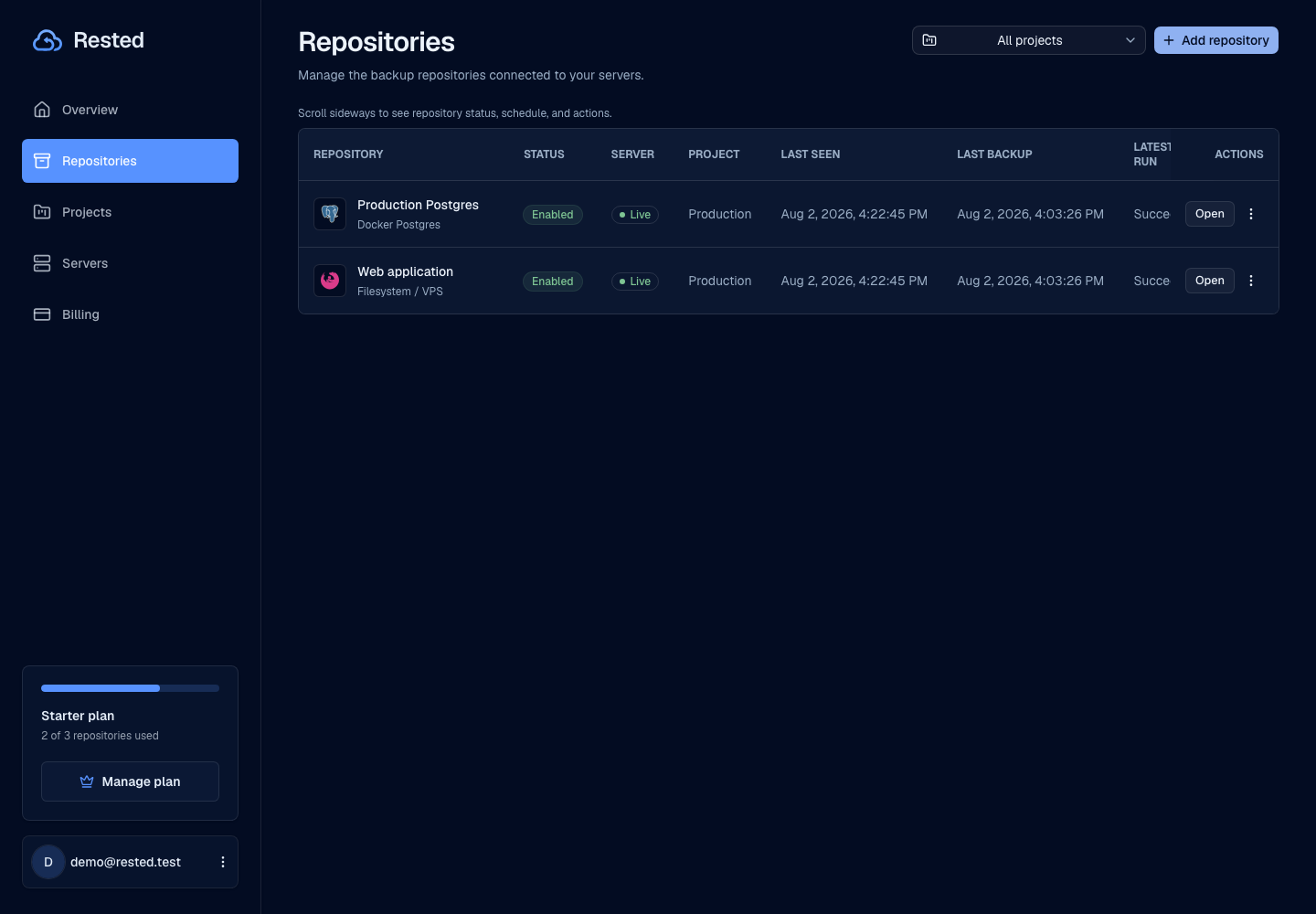
Pick the Linux server paths, schedule, retention, and storage destination that matter for recovery.
Connect the server
Install Rested on the server so backups can run where the files already live.
Run encrypted backups
Backups run on the server and the app shows whether they succeeded, failed, or need attention.
Recover from snapshots
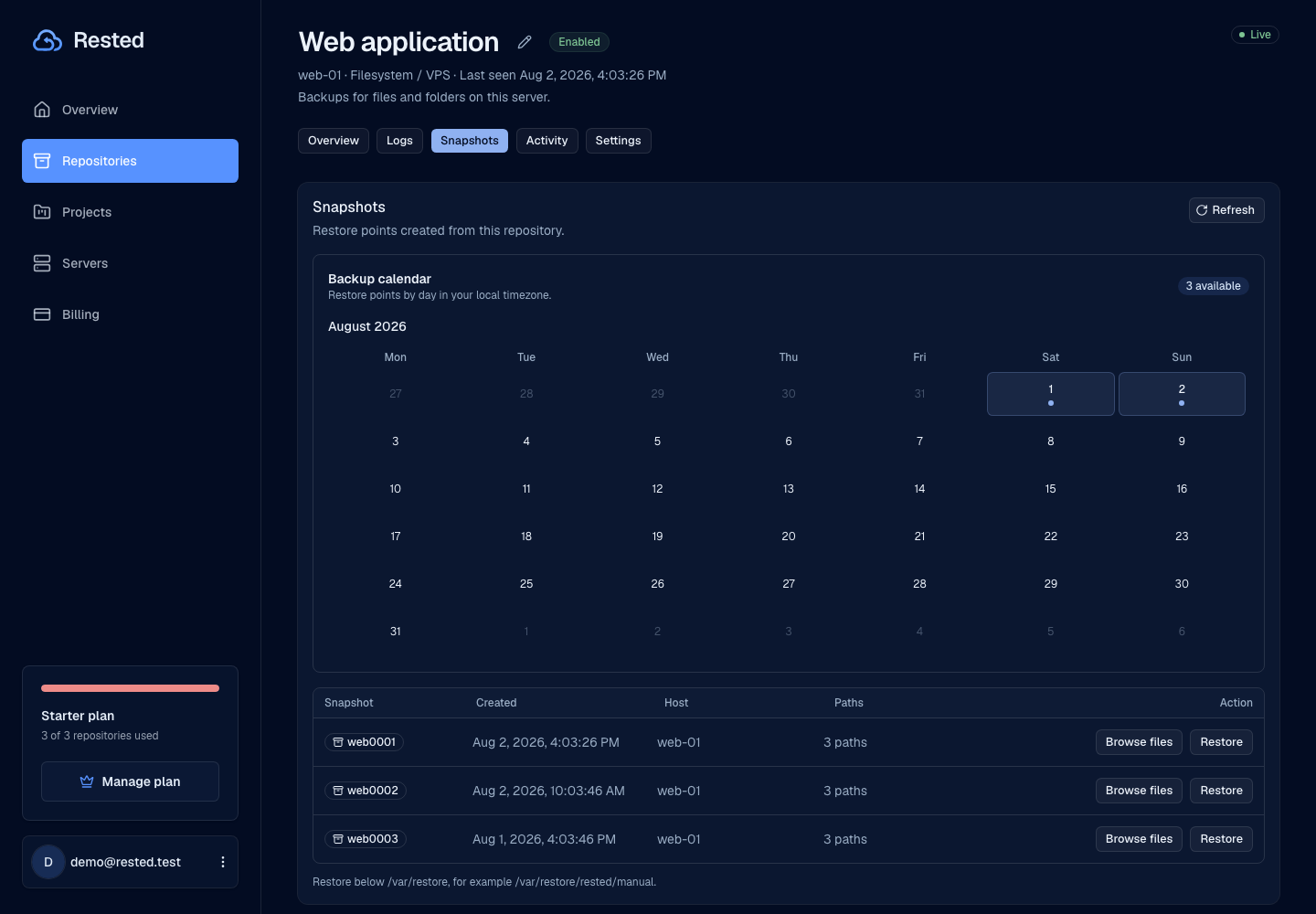
Browse available recovery points and start a restore when you need files back.
Clear backup visibility without hiding the important bits
Rested runs your backups while keeping recovery keys and storage choices in your hands.
You keep the recovery key
Rested runs your backups, but the key needed to unlock encrypted data stays with you.
Backups go to storage
Your backup files move from the server straight to your backup storage, not through a web dashboard.
Operational visibility
Schedules, latest failures, backup history, and recovery points stay visible in one place.
Safer backup actions
The app focuses on backup and restore actions instead of becoming a general-purpose remote terminal.
Good to know
A reliable backup setup is more than a green check. Storage, schedules, keys, and restore tests all matter.
Read about securityLinux-first
The first server backup path is built for Linux servers.
Storage setup still matters
A server backup is only useful once storage, retention, and recovery expectations are clear.
Restore needs planning
Rested keeps restore work close to backup history, but you still need to choose where files come back.
History after setup
Run history and outcomes appear after the connected server reports its first backup.
Frequently asked questions
How does Rested back up a Linux server?
You install the Rested agent on the server. It runs scheduled backups where your files already live, encrypts them with restic, and uploads them to your own S3-compatible storage. Rested stores the schedule and run history, not the backup contents.
Where do my server backups get stored?
In storage you own and configure — any S3-compatible bucket. The agent encrypts every backup on the host before it leaves the server, so your storage provider only ever holds ciphertext.
Who holds the encryption key for my backups?
You do. The recovery key that unlocks your encrypted backups stays with you. Rested cannot read your data, and neither can anyone who compromises the control plane.
How do I know when a backup fails?
The app shows each run's outcome, duration, and schedule in one place. Failed jobs surface immediately so you see them before you need a restore. Real history appears once the server runs its first backup.
Which storage providers does Rested work with?
Any S3-compatible object storage — for example AWS S3, Backblaze B2, Wasabi, Cloudflare R2, or a self-hosted MinIO bucket. You supply the bucket and credentials, and backups are written there encrypted.
Find your backup workflow.
From a single Linux server to a database. Start with the guide that fits your setup.
Start with one Linux server and prove the restore path.
Connect a server, run a backup, and keep recovery points visible before you need them.