Backrest Retention Policy: Keep Recoverable Snapshots
Build a Backrest retention policy around recovery needs, safely manage restic forget and prune work, and verify snapshots with restore tests.
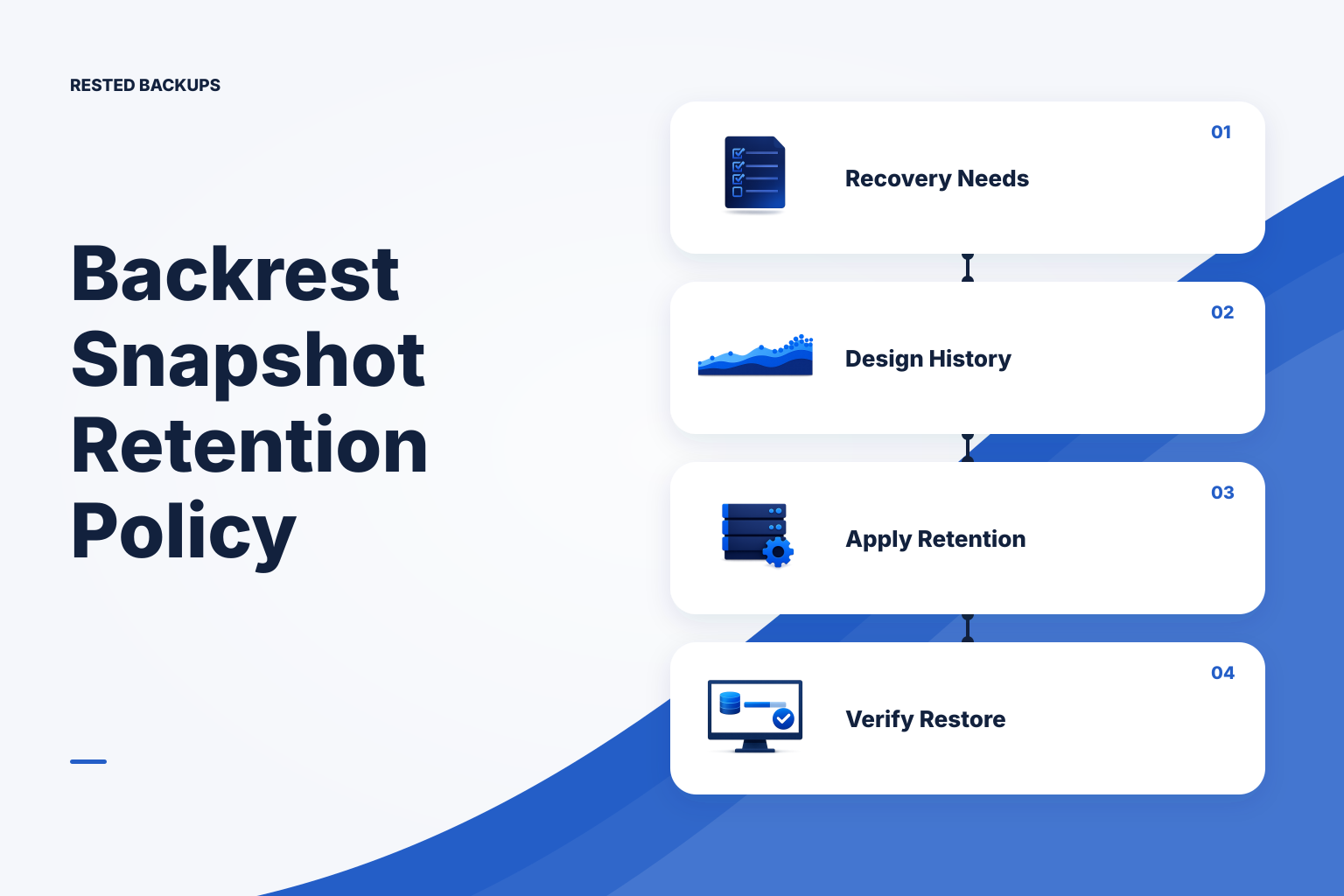
Start with the recovery points you must be able to use
A useful **backrest retention policy** keeps enough distinct recovery points to cover realistic mistakes, outages, and delayed discovery—then removes older points only after you know the remaining ones can be restored. Start with recovery requirements, not a convenient number of days. Retention matters because a backup that completed yesterday may be useless if the database corruption, bad deployment, or accidental deletion happened before the oldest remaining usable snapshot.
Separate two decisions that are often mixed together. Your recovery point objective (RPO) is the maximum data loss you can accept, which drives backup frequency. Your recovery time objective (RTO) is how long recovery can take, which depends on repository size, storage performance, restore destination, and the application steps after data is restored. Retention answers a third question: how far back do you need a choice of recovery points?
Write down the events your snapshots must cover. A short history may cover a quickly noticed file deletion. A longer spread of daily, weekly, or monthly recovery points may be needed for a defect discovered after a reporting cycle, a compromised account, or an old configuration that must be compared. This is a recommendation, not a universal schedule: legal, contractual, cost, and operational requirements can change the policy.
- How frequently important data changes, and the maximum acceptable gap between backups.
- How long it normally takes your team or users to notice bad data, accidental deletion, or an unsafe deployment.
- The operational cycles that need historical coverage, such as releases, billing, reporting, or seasonal work.
- The time, storage capacity, credentials, recovery key, and isolated environment available for a restore test.
Design a tiered history instead of keeping every run forever
Most teams need dense recent history and sparse older history. The purpose is not to preserve every backup forever; it is to retain representative points that give you useful choices over time. A policy commonly distinguishes recent snapshots from longer-term periodic snapshots, while retaining a clearly documented window for the oldest business-relevant recovery point.
Before applying retention, decide what constitutes one backup stream. A Linux host can contain application uploads, configuration, generated artifacts, and one or more database exports, each with different change patterns and restore paths. If snapshots from unrelated targets are grouped together, a retention rule may keep or remove history in ways that are difficult to explain during recovery. Keep repository, host, path, tags, and backup-job scope legible enough to identify the right snapshot later.
Retention is also a capacity and cost decision, but deleting history is not the only way to control cost. Reduce unnecessary source data, exclude reproducible caches, avoid retaining temporary exports after their intended period, and review growth caused by large changed files. For deduplicating snapshot repositories, apparent source size is not the same as additional stored data; inspect repository and storage use rather than estimating from full backup sizes alone.
Do not treat a provider snapshot or a green backup result as a substitute for this policy. A storage-layer snapshot can be useful as another recovery layer, but application consistency and the ability to select a historical application state still need their own plan. The [NIST contingency planning guide](https://csrc.nist.gov/pubs/sp/800/34/r1/final) is a useful reference for connecting backup retention to documented recovery procedures and testing.
- Keep enough recent points to reverse a quickly detected operational error.
- Keep less frequent historical points for issues discovered after the recent window has passed.
- Create and document an explicit exception for releases, migrations, or other events that need a known recovery point.
- Review the oldest retained snapshot and repository growth on a regular operational cadence.
Apply retention as a two-step operation: select, then reclaim
In restic-based workflows, retention and storage reclamation are related but different operations. forget selects snapshots to remove according to the policy; prune removes repository data that is no longer referenced by retained snapshots. Because deduplication means snapshots can share data, space may not fall immediately after snapshot removal. Read the current [restic documentation](https://restic.readthedocs.io/en/stable/) for the options and behavior of the version you operate.
In Backrest, first inspect the actual plan, repository, schedule, and retention controls exposed by your installed version before assuming a field maps to a particular restic option. Record the intended policy beside the job: its scope, grouping or tags if used, when retention runs, whether cleanup is separate, and who receives a failure notification. A retention policy that exists only in one operator’s memory is hard to review and risky to change.
Use a non-production repository or a disposable copy of representative metadata to rehearse a policy change where possible. Do not run destructive cleanup commands from a production shell merely to see what happens. Ensure you have the repository location, storage credentials, repository password or recovery key under your organization’s control, and at least one known restorable snapshot before changing expiry behavior.
- Confirm the exact repository and backup stream the policy applies to; do not infer it from a similarly named server.
- Preview or review the proposed retained and removed snapshots before committing a policy change, using the controls and documentation for your installed tooling.
- Treat data reclamation as a separately observed operation, because it can take longer and has different storage effects than selecting snapshots for removal.
- Keep a change record with the old policy, new policy, reason, approver where applicable, and the verification result.
Verify the policy with catalog checks and an isolated restore
After the first policy run, inspect the snapshot list rather than trusting a successful job status. You should be able to identify the newest point, the oldest point required by your policy, and the expected periodic recovery points between them. Unexpected gaps can indicate a schedule failure, changed backup grouping, a retention rule that was broader than intended, or a source that was no longer included.
Repository integrity checks add important evidence that stored backup data is readable, but they do not prove that the right paths were captured or that the application will start. Run integrity checking in accordance with your repository size, storage cost, and maintenance window. Then perform the stronger test: restore a selected snapshot to an intentionally separate target, inspect the result, and run an application-appropriate smoke test.
For databases, verify both the artifact and the database-native restore path. A PostgreSQL logical dump, for example, should be restored into an isolated test database or instance and checked for expected schemas, roles or globals where separately protected, and representative data. PostgreSQL’s [backup and restore documentation](https://www.postgresql.org/docs/current/backup.html) explains the engine-specific backup and restore approaches; do not assume that a filesystem copy or host snapshot is equivalent to a database-consistent backup.
If the operational problem is that retention, missed schedules, snapshots, and restore evidence are scattered across cron output and storage consoles, [Rested Backups](https://restedbackups.com) can keep encrypted restic backup schedules, run outcomes, snapshots, and restore work visible in one workspace. It does not remove your responsibility to choose the policy, control storage access, save the recovery key, and test the result.
- Confirm the oldest required recovery point is still present after retention runs.
- Browse or restore representative paths and confirm that the data needed to rebuild the service is included.
- Run a contained application or database smoke test against restored data, not against production.
- Record snapshot identifier, restore target, elapsed time, checks performed, failures, and follow-up actions.
Use this Backrest retention policy checklist before and after each change
This checklist is deliberately operational rather than product-interface-specific. Complete it before enabling a new policy, changing retention counts or time windows, moving a repository, or changing backup scope. Adapt it to your team’s documented recovery objectives and test it first on a non-production target.
A common failure mode is an apparently successful cleanup that removes the last snapshot from before an incident was discovered. Another is a healthy-looking history of database dump files that cannot be imported because required globals, extensions, credentials, or restore instructions were omitted. If either occurs, stop further expiry work, preserve the remaining repository and logs, identify the newest known-good point, and revise the policy only after an isolated restore test.
The practical takeaway is simple: keep recovery points for the time it takes to discover real failures, make expiry observable, and prove a retained point can rebuild something useful. Review the policy whenever data scope, release practices, storage permissions, or recovery expectations change.
- Document the accepted data-loss window, recovery-time expectation, and longest credible discovery delay.
- Map every recovery target: application data, uploads, configuration, database artifacts, secrets-handling procedure, and infrastructure definitions.
- Document the intended recent and periodic snapshot history, exceptions, repository scope, and the owner of the decision.
- Confirm schedule success, failed-run visibility, repository access, storage quota, and the credentials and recovery key needed for a restore.
- Inspect retained snapshots, run an appropriate integrity check, restore an intentionally selected point to an isolated target, and record the outcome.
Technical basis
First-party references
Technical claims and limitations in this guide were checked against these primary sources. Confirm version-specific behavior when designing a production recovery process.
Related from Rested
Common questions
Frequently asked questions
Does a Backrest retention policy delete backup data immediately?
Not necessarily. In restic-based workflows, selecting snapshots for removal and reclaiming unreferenced repository data are separate concerns. Snapshot removal changes what is available for normal restore selection; physical space reclamation depends on the cleanup operation and repository data shared by other snapshots. Review the behavior and logs for the tools and version you operate.
How long should I keep backups?
Keep them long enough to cover the longest credible time between an incident and its discovery, plus the operational periods that matter to your organization. Start from data-change rate, discovery delay, business cycles, and contractual obligations. Then validate that the resulting repository size, cleanup time, and restore time are practical.
Should database backups have the same retention as application files?
Not automatically. They may need different backup frequency, consistency handling, scope, and restore tests. You can retain them together only when they form a deliberately coordinated recovery point and the restore procedure is documented. Otherwise, make their relationship explicit so you know which database artifact belongs with which application state.
Can I rely on a successful retention or prune job?
No. A successful job indicates that the tool completed its assigned operation; it does not prove that the retained snapshots contain the correct source data or restore into a working service. Inspect the remaining recovery points and run isolated restore tests.
What should I do before shortening retention?
Identify the oldest recovery point that is still required, inspect existing snapshots, preserve any migration or release checkpoint that needs an exception, and test the proposed behavior outside production where possible. Ensure more than one authorized person can locate the repository, storage access path, and recovery key before any destructive change.