How to back up a VPS and prove you can restore it
Learn how to back up a VPS with encrypted off-site copies, database-aware exports, automation, monitoring, and a practical restore test.
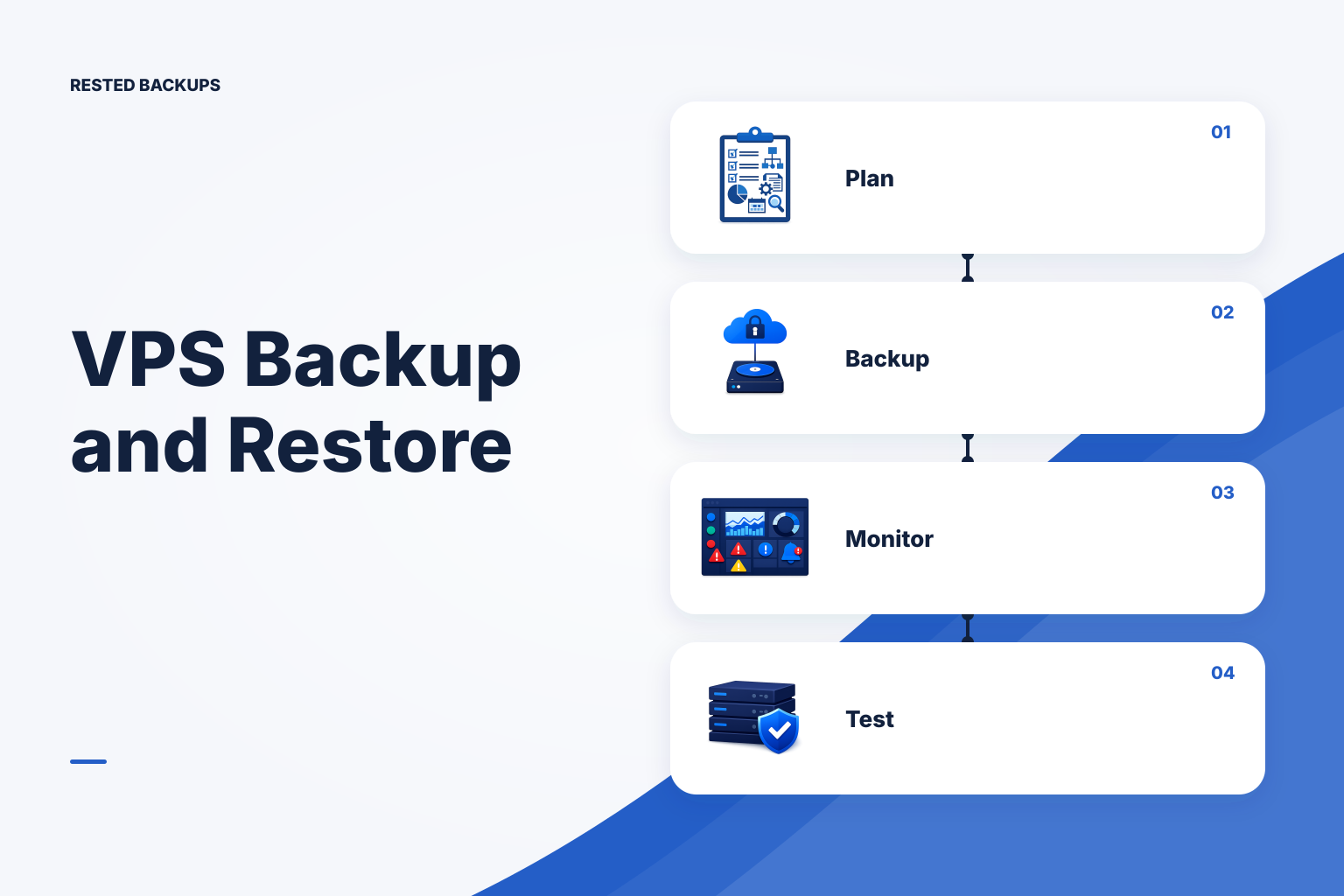
Start with recovery requirements, not a backup command
To back up a VPS safely, protect the application state that cannot be recreated, keep an encrypted copy outside the VPS, monitor whether scheduled work actually runs, and test a restore into a separate target. This matters because a VPS can fail, be deleted, become inaccessible, or contain an application-level error that a disk image does not conveniently undo. A green backup result is evidence that a job completed; it is not proof that the recovered service will work.
Write down two decisions before selecting tooling. Your recovery point objective (RPO) is the maximum data loss, measured in time, that the service can accept. Your recovery time objective (RTO) is how long you can take to return the service to a usable state. A small brochure site may tolerate a daily recovery point and a slower rebuild. An order-processing system may need more frequent database recovery points and a rehearsed, faster recovery path. These are operating requirements, not properties that any backup tool can guarantee.
Then make a recovery inventory. Record the VPS provider and account, operating-system version, hostname and network dependencies, deployment method, application directories, persistent container volumes, databases, uploaded files, configuration, TLS material where appropriate, secrets-retrieval procedure, DNS steps, object-storage repository location, and who holds the recovery key. [NIST contingency planning guidance](https://csrc.nist.gov/pubs/sp/800/34/r1/final) supports documenting recovery procedures and testing them rather than treating a backup as the entire plan.
- Application state: uploads, generated assets, queues, and other data that a deployment cannot recreate.
- Database state: an engine-aware export or physical backup with a documented restore procedure.
- Service configuration: Compose files, systemd units, reverse-proxy configuration, environment-file locations, and infrastructure notes. Handle secret values through an approved secret-management process rather than casually copying them into backup scripts.
- Recovery material: repository address, storage-access process, restic password or recovery key, and a tested person-to-person access path if the primary operator is unavailable.
Use layers, but do not confuse a VPS snapshot with application recovery
A provider backup or VPS snapshot can be useful for rebuilding a whole machine quickly, especially after an operating-system or configuration mistake. Keep it as one recovery layer if its retention, access, and restore behavior fit your plan. It should not be the only layer for a live database or important application state: a disk-level image may capture writes at a point that is inconvenient or inconsistent for the application to recover.
For most Linux VPS workloads, use an application-aware backup as the primary recovery point and treat a provider snapshot as supplementary rebuild insurance. For PostgreSQL, a logical export created with pg_dump has a database-aware restore path; PostgreSQL documents the available backup methods and their trade-offs in its [backup and restore documentation](https://www.postgresql.org/docs/current/backup.html). For Docker workloads, identify the actual named volumes and bind mounts before backing up host paths. A Compose file recreates containers, but it does not recreate the data in a volume; see the [Docker volumes documentation](https://docs.docker.com/engine/storage/volumes/) for the distinction.
Do not indiscriminately back up transient directories merely because they are under your home directory. Common candidates for exclusion include package caches, build outputs, temporary directories, log files already shipped elsewhere, and runtime sockets. Conversely, do not exclude a path until you have established that it can be recreated. Scope drift is a common failure mode: a deployment moves persistent data to a new volume while an old backup job remains green.
- Provider snapshot or image: useful for machine-level rollback or rebuilding; check where it is stored and how a restore is performed.
- Database-consistent artifact: create it with the database engine's tooling, then protect that artifact off-site.
- File backup: protect uploads, application data, selected configuration, and named persistent volumes.
- Independent off-site repository: protects recovery data from loss of the VPS itself, subject to the availability and permissions of its storage account.
Create an encrypted off-site backup workflow
The following illustrative workflow uses restic and an S3-compatible object-storage repository. Run it as an account that can read only the intended backup sources, preferably in a non-production test environment first. You need restic installed, a bucket and isolated repository prefix that you control, credentials scoped to that location, enough storage capacity, and a protected file containing the repository password. Do not put passwords, cloud keys, or database passwords directly into a shell history, unit file, or source repository.
Create a root-readable environment file such as /etc/restic/vps-backup.env with values adapted to your storage provider. The repository format below is an example for an S3 API endpoint; endpoint, region, credential method, and bucket policy are provider-specific. Review the [restic documentation](https://restic.readthedocs.io/en/stable/) and your storage provider's documentation before using production credentials.
sh
# /etc/restic/vps-backup.env — customize; do not commit
export RESTIC_REPOSITORY='s3:s3.amazonaws.com/EXAMPLE-BUCKET/vps-prod-01'
export RESTIC_PASSWORD_FILE='/root/.config/restic/vps-prod-01.password'
export AWS_ACCESS_KEY_ID='REPLACE_WITH_BACKUP_WRITER_ID'
export AWS_SECRET_ACCESS_KEY='REPLACE_WITH_BACKUP_WRITER_SECRET'
After creating the password file with restrictive permissions and loading the environment, initialize the repository once, then back up explicit paths. Replace the paths with your inventory; do not use this example as a substitute for checking where your application stores data. The expected result is a new snapshot identifier and a successful exit status. Record the repository and password ownership separately from the VPS.
sh
# Run once for a new, empty repository
. /etc/restic/vps-backup.env
restic init

# Run for each backup after validating paths and exclusions
restic backup \
  /srv/myapp/uploads \
  /etc/myapp \
  /var/lib/docker/volumes/myapp_data/_data \
  --exclude='/srv/myapp/tmp' \
  --tag vps-prod-01 \
  --tag files
Create a database artifact before the file backup when the database is a recovery target. For example, a PostgreSQL operator can write a custom-format dump to a protected staging directory, then include that directory in restic. The account and database names are placeholders; use a credential mechanism such as a protected .pgpass file or a local peer-authenticated backup role, not a password on the command line. Confirm that the dump file is new and non-empty before it is backed up.
sh
# Illustrative PostgreSQL logical-backup step; adapt and test first
install -d -m 0700 /var/backups/postgresql
pg_dump --format=custom --file=/var/backups/postgresql/appdb.dump appdb
restic backup /var/backups/postgresql --tag vps-prod-01 --tag postgresql
- Use a distinct bucket prefix or repository per recovery boundary so a staging server cannot accidentally write into a production repository.
- Grant storage access only to the intended bucket and prefix, and understand that retention pruning needs delete permissions in addition to read, list, and write access.
- Save the restic password or recovery key in an access-controlled recovery process. If it is lost, encrypted repository contents cannot be recovered by Rested Backups or the storage provider.
Automate the job and detect both failures and missing runs
Put the backup sequence in a version-controlled, reviewed script and schedule that script with systemd, cron, or your deployment platform. The template below uses flock to prevent overlapping runs, stops on an error, makes the database dump before the restic backup, and leaves an alert hook for your monitoring system. Review retention carefully before enabling forget --prune: deleting a snapshot can be correct policy execution, but an untested policy can remove recovery points you expected to keep.
sh
#!/usr/bin/env bash
# /usr/local/sbin/backup-vps — customize and test before production use
set -euo pipefail
exec 9>/run/lock/backup-vps.lock
flock -n 9 || { echo 'backup already running' >&2; exit 75; }
. /etc/restic/vps-backup.env
stamp="$(date -u +%Y-%m-%dT%H:%M:%SZ)"
install -d -m 0700 /var/backups/postgresql
pg_dump --format=custom --file=/var/backups/postgresql/appdb.dump appdb
restic backup /srv/myapp/uploads /etc/myapp /var/backups/postgresql \
  --tag vps-prod-01 --tag "run=${stamp}"
restic snapshots --tag vps-prod-01
# Optional only after you have approved and tested retention:
# restic forget --keep-daily N --keep-weekly N --keep-monthly N --prune
# Replace with your approved notification command:
# notify_backup_success "vps-prod-01 ${stamp}"
For systemd, run the script from a dedicated service and timer, with the environment file readable only by the account that performs backups. Configure alerting on a non-zero service exit and separately on freshness: a job can fail visibly, but a disabled timer, an offline VPS, expired credentials, or a full filesystem can mean no job starts at all. Inspect the most recent snapshot, run history, storage errors, and the age of the newest usable database artifact.
If hand-maintained timers and scattered logs make it hard to answer what ran, which VPS is stale, or what snapshot you would restore, [Rested Backups](https://restedbackups.com) can keep encrypted restic schedules, run outcomes, snapshots, and restore work visible in one workspace while the agent runs on your connected Linux server. You still choose the scope, control the storage account and permissions, retain the recovery key, and perform restore testing.
- Alert on a failed backup or dump command, including failures before the repository upload begins.
- Alert when no recent expected run or snapshot exists; this catches missed schedules as well as explicit failures.
- Monitor repository access, storage quotas, credential expiry, and the free space required for local dump staging.
- Review backup scope after application, database, Docker volume, or deployment changes.
Prove recovery in an isolated target before an outage
A restore test should not overwrite the production paths it is intended to protect. Provision a disposable VPS, isolated directory, container, or database instance; retrieve a selected snapshot; restore into a new target; and validate the application there. For a file recovery, compare expected files and ownership without copying them back over live data. For PostgreSQL, restore the custom dump into a newly created test database, then run application-level checks such as a login, representative read, upload retrieval, or other safe smoke test.
Use a known snapshot from restic snapshots and restore it to an empty directory. This illustrative command requires the same repository access and password path used for backup, but it writes only under /srv/restore-test. A successful restic command proves files were materialized; inspect the restored application state before treating the test as complete.
sh
. /etc/restic/vps-backup.env
mkdir -p /srv/restore-test
restic snapshots --tag vps-prod-01
restic restore SNAPSHOT_ID --target /srv/restore-test

# PostgreSQL test restore into a separately created test database
createdb appdb_restore_test
pg_restore --dbname=appdb_restore_test /srv/restore-test/var/backups/postgresql/appdb.dump
Run and document this test after meaningful application changes and on a recurring schedule appropriate to the service. Capture the chosen snapshot, time to retrieve it, restore errors, missing configuration, and smoke-test result. The fastest safe next step is to complete the inventory, perform one manual backup, restore it somewhere isolated, and use the findings to improve scope, automation, and the recovery runbook.
- Confirm the backup includes the live database artifact, persistent volumes or bind mounts, uploads, necessary configuration, and recovery documentation.
- Confirm the repository is outside the VPS and that authorized recovery personnel can access the storage location and decryption material.
- Confirm the latest scheduled run succeeded, a recent snapshot exists, and missing-run alerting is active.
- Restore one representative snapshot into an isolated target and record whether the service—not merely the restore command—works.
Technical basis
First-party references
Technical claims and limitations in this guide were checked against these primary sources. Confirm version-specific behavior when designing a production recovery process.
Related from Rested
Common questions
Frequently asked questions
Is a VPS provider snapshot enough for backups?
It can be a useful machine-level recovery layer, but it is usually not enough by itself. It may not provide the database-aware restore path, off-provider separation, granular file recovery, or tested application validation that your service needs. Use it alongside application-aware data backups when those requirements matter.
What should I back up on a Linux VPS?
Back up the state that makes the service unique: database-consistent artifacts, uploaded files, persistent application directories, Docker volumes or bind mounts, selected configuration, and the recovery information needed to reassemble the service. Avoid treating packages, caches, temporary files, and reproducible build output as equivalent to irreplaceable state.
How often should I back up a VPS?
Choose frequency from the maximum amount of recent data you can lose, your RPO. A daily backup may be adequate for low-change content; a database receiving frequent writes may need more frequent database recovery points. Frequency alone does not determine recovery time, storage cost, or whether a restore will work.
Can I restore a restic backup to another VPS?
Yes, provided the new environment has authorized access to the repository and the correct restic password or recovery key. Restore first into a separate target directory, then deliberately apply files, configuration, and database artifacts to the replacement VPS. Expect to adapt hostnames, networking, credentials, and service configuration rather than assuming a file restore recreates the whole environment.
How do I know my VPS backup is actually recoverable?
Use several kinds of evidence: a recent successful run, a visible snapshot, repository integrity checks where appropriate, a contained restore, database restore validation, and application-level smoke tests. The restore test is the strongest evidence because it exercises the data, credentials, tooling, and documented recovery procedure together.