VPS Backup: A Practical Guide to Recovery You Can Test
Build a practical VPS backup plan: map persistent data, create encrypted off-site copies, verify snapshots, and test a safe restore before an outage.
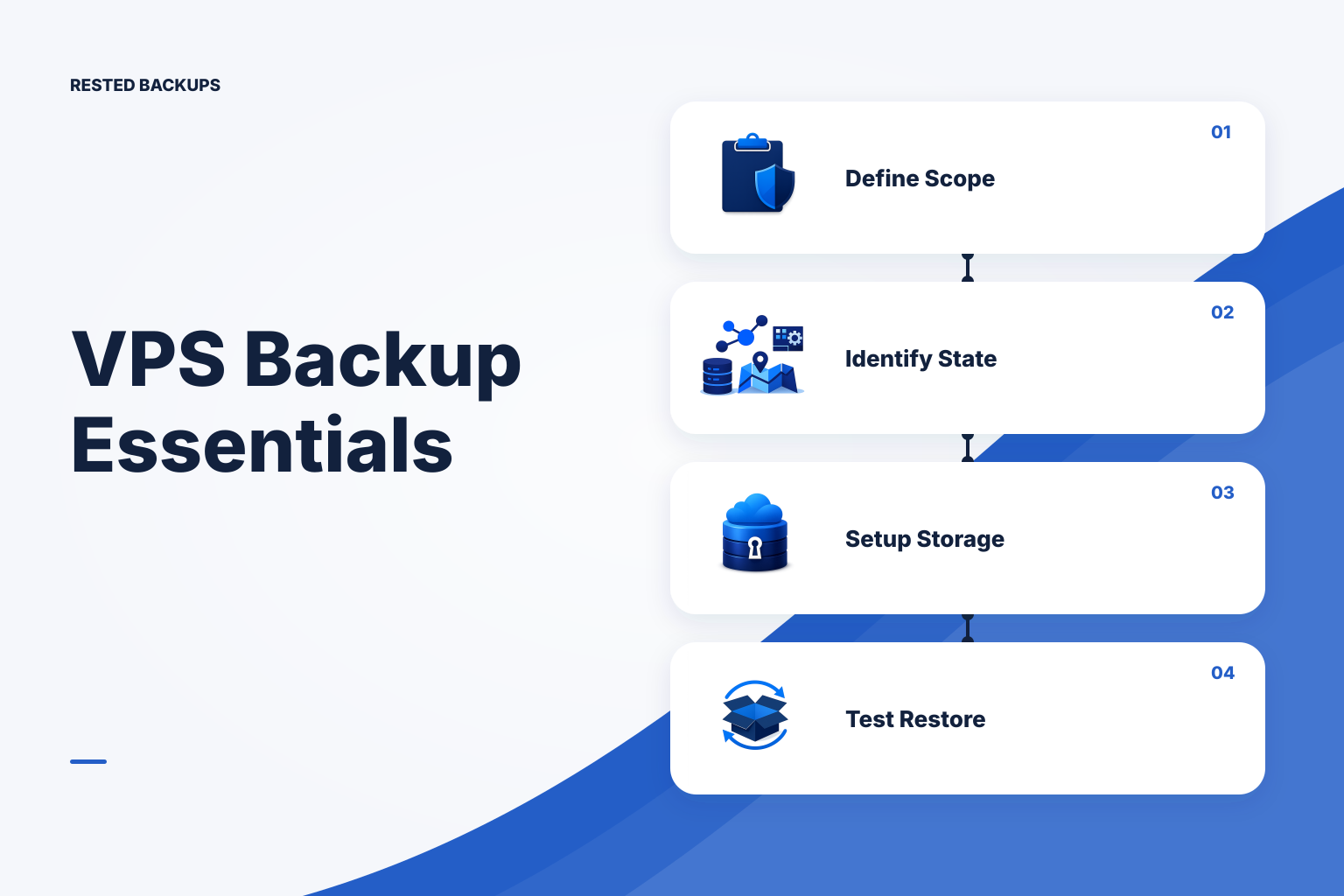
Start with recovery, not with a backup command
A useful **VPS backup** is an off-server copy of the application state you need, plus a documented and tested way to restore it. Start by defining what service you must bring back, how much recent data loss is acceptable, and where you will restore it. This matters because a provider snapshot, a completed upload, or a directory of files can all look reassuring while still failing to recreate a working application.
Write down two recovery objectives before choosing a schedule. Your recovery point objective (RPO) is the maximum amount of recent data you can afford to lose; it determines backup frequency. Your recovery time objective (RTO) is how quickly the service must return; it determines how much restore automation, bandwidth, spare capacity, and rehearsal you need. These are business decisions expressed as technical constraints, not guarantees supplied by a backup tool.
Use at least two scenarios: restore a deleted file or bad deployment change, and rebuild after losing the entire VPS. The first favors selective file restore. The second requires application files, database-consistent data, configuration, secrets-recovery procedures, DNS or deployment knowledge, and access to independent storage. A VPS-provider snapshot can be a helpful fast rollback layer, but it should not be your only recoverable copy or your only database recovery plan.
- What exact service is being recovered: website, API, worker, database, mail relay, or a combination?
- Which state is authoritative: database records, uploaded files, object storage, queues, configuration, certificates, or a named Docker volume?
- Where can the restore run if the original VPS, provider account, or attached disk is unavailable?
- What evidence will count as recovery: restored files, a database restore with no errors, a successful application health check, or a user-path smoke test?
Map persistent state and use more than one recovery layer
Before backing up paths, inventory where your service actually writes data. On a typical Linux VPS, that may include application uploads under /srv or /var/lib, configuration in /etc, a PostgreSQL or MySQL data service, deployment manifests, scheduled-job definitions, and custom scripts. Do not assume the application directory contains the database, and do not assume a container image contains a named volume or bind mount.
Separate irreplaceable state from reproducible software. Package caches, temporary directories, logs that are exported elsewhere, and build artifacts may not belong in the main backup set. Conversely, configuration and deployment metadata often matter during a full rebuild. Handle credentials deliberately: a backup may need encrypted configuration files, but the recovery procedure also needs a secure, separately controlled way to regain storage access and retrieve the backup encryption password or recovery key.
For most small teams, the practical default is an application-aware backup copied to storage outside the VPS or provider account, supplemented by provider snapshots for fast infrastructure rollback where they fit. Application-aware means creating a database artifact with the database’s own tooling and backing up the files that hold application state. The [PostgreSQL backup and restore documentation](https://www.postgresql.org/docs/current/backup.html) distinguishes logical and physical approaches; choose the one whose restore procedure you can operate and test for your version and service.
The lower-cost option is usually scheduled encrypted backups to storage you control, with periodic manual restore drills. Its hidden cost is operator attention. A higher-resilience design adds an independent account or location, stronger controls around destructive storage access, automated alerting, and frequent isolated restore tests; it also adds storage, egress, and operating costs. Keep these cost categories separate: backup software or service, object storage capacity, retrieval or egress charges, and time spent investigating failures and rehearsing recovery.
- Provider image or disk snapshot: useful for rapid rollback, but validate database consistency and keep an independent copy.
- Logical database dump: portable and straightforward to inspect and restore, but potentially slower for large databases.
- Encrypted file backup: protects uploads, configuration, scripts, and database dump artifacts when the selected paths are correct.
- Isolated restore test: proves a chosen recovery point can be read and used without overwriting production.
Prepare storage, keys, and a backup contract before automation
Create a dedicated repository location and a storage identity scoped to that location. If you use S3 or an S3-compatible service, record the bucket, repository prefix, endpoint if applicable, credential owner, and retention or lifecycle rules. The [Amazon S3 User Guide](https://docs.aws.amazon.com/AmazonS3/latest/userguide/Welcome.html) is the appropriate provider reference for S3 storage behavior; exact permissions and lifecycle settings depend on your repository layout and retention plan.
Store the repository location, storage-access recovery procedure, and backup password or recovery key in a protected team-controlled system separate from the VPS. Test that the right people can retrieve them under your incident process. Encryption protects the backup contents, but losing the only decryption secret can make a healthy repository unusable.
Create a short backup contract for each VPS: named source paths, database method, schedule, expected maximum age of the newest recovery point, retention rule, repository destination, restore owner, and last successful restore-test date. This one-page record prevents an ambiguous job from becoming an ambiguous recovery. It also makes scope changes—such as moving uploads to a new mount—reviewable.
If you want the underlying repository and storage ownership to remain explicit while making daily operations easier to inspect, [Rested Backups](https://restedbackups.com) runs encrypted restic workflows on a connected Linux server and keeps schedules, outcomes, snapshots, and restore work visible in one workspace. It can reduce the chance that an invisible scheduled job fails unnoticed, but you still need to select the right sources, maintain storage access, safeguard the recovery key, and perform restore tests.
- Repository identity: storage account, bucket or container, repository prefix, and endpoint details where used.
- Protected sources: explicit directories and database artifacts, with exclusions documented rather than assumed.
- Retention: the number and age pattern of recovery points required for operational and business needs.
- Restore plan: a non-production target, validation steps, cleanup owner, and escalation path when the test fails.
Run an application-aware backup workflow
The following illustrative workflow is for a Linux VPS with PostgreSQL, application uploads, and restic already installed. Adapt paths, database names, repository backend settings, and account names for your environment; test first on a non-production host. Run it as a privileged backup account that can read only the necessary application paths and can invoke the database backup command. Never paste passwords or access keys into a shell history, source repository, or command output.
Create the dump locally, atomically publish it only after pg_dump succeeds, then back up the explicit recovery targets. The example uses environment-variable pointers to root-readable secret files rather than embedding secrets. Configure the repository and credentials according to the [Restic documentation](https://restic.readthedocs.io/en/stable/) and your storage provider before this step.
bash
# Illustrative: adapt and test outside production first.
# Prerequisites: restic installed; repository initialized; secret files mode 0600.
set -euo pipefail
umask 077

export RESTIC_REPOSITORY='s3:s3.amazonaws.com/EXAMPLE-BUCKET/vps-01'
export RESTIC_PASSWORD_FILE='/root/.config/restic/vps-01.password'
export AWS_SHARED_CREDENTIALS_FILE='/root/.aws/restic-backup-credentials'

install -d -m 0700 /var/backups/myapp
sudo -u postgres pg_dump --format=custom --file=/var/backups/myapp/appdb.dump.tmp appdb
mv /var/backups/myapp/appdb.dump.tmp /var/backups/myapp/appdb.dump

restic backup \
  /etc/myapp \
  /srv/myapp/uploads \
  /var/backups/myapp/appdb.dump \
  --tag vps-01 --tag myapp

restic snapshots --tag vps-01
A successful final command should show a new snapshot with the expected host, timestamp, and paths. It does not establish that appdb.dump can be restored, that uploads match database references, or that the application will start. Schedule this script through your chosen scheduler only after manual execution, logging, exit-code handling, and failure alerting are in place.
Database files should generally not be copied directly from a live database data directory as a substitute for a database-aware backup unless you have implemented and tested the engine’s documented physical-backup procedure. Common failure modes are a dump permission error, a full local staging filesystem, a changed upload mount that is no longer covered, expired storage credentials, an interrupted transfer, and a scheduler that never starts. Make the backup fail on these conditions rather than quietly backing up an old dump file.
- Check that the database artifact has a current modification time and is not an older file left over after a failed dump.
- Review snapshot contents after deployment or mount changes; a green job can still protect the wrong directories.
- Apply retention only after confirming enough recovery points exist, and understand whether cleanup needs delete permissions in the repository.
- Alert on a failed run and on missing freshness evidence, because a scheduler or host outage may produce no backup process at all.
Prove recovery in an isolated target and keep evidence current
A restore test is the decisive step in a VPS backup checklist. Restore into a separate directory, VM, container, or disposable database—not over the production application. Then inspect the recovered files, validate the database artifact, start the service if practical, and perform one meaningful application-level check such as loading a known record or verifying an upload referenced by the database.
This illustrative drill restores the latest tagged backup into an isolated directory and restores the PostgreSQL dump into a disposable database on a non-production PostgreSQL instance. Confirm the target is isolated and that the test database name is safe to create and remove before running it.
bash
# Illustrative restore drill: run on a non-production recovery target.
set -euo pipefail
export RESTIC_REPOSITORY='s3:s3.amazonaws.com/EXAMPLE-BUCKET/vps-01'
export RESTIC_PASSWORD_FILE='/root/.config/restic/vps-01.password'
export AWS_SHARED_CREDENTIALS_FILE='/root/.aws/restic-backup-credentials'

rm -rf /srv/restore-drill/vps-01
install -d -m 0700 /srv/restore-drill/vps-01
restic restore latest --tag vps-01 --target /srv/restore-drill/vps-01

sudo -u postgres createdb appdb_restore_test
sudo -u postgres pg_restore --exit-on-error --no-owner \
  --dbname=appdb_restore_test \
  /srv/restore-drill/vps-01/var/backups/myapp/appdb.dump
sudo -u postgres psql --dbname=appdb_restore_test --tuples-only --no-align \
  --command="SELECT count(*) FROM pg_catalog.pg_tables WHERE schemaname = 'public';"

# After recording results and application smoke-test evidence:
sudo -u postgres dropdb appdb_restore_test
Expected signals are a completed restore, no pg_restore errors, and a plausible nonzero table count for an application that uses public tables. That count is only a structural check; compare a safe known record or run the application’s own smoke test. Preserve the snapshot ID, start and finish times, errors, and follow-up actions as recovery evidence.
Periodically run the repository integrity checks supported by your backup tool, and distinguish their result from an application restore. For example, a repository check can detect stored-data or metadata problems, while an isolated restore exposes missing scope, permissions, configuration dependencies, and application startup issues. Use both. NIST’s [contingency planning guide](https://csrc.nist.gov/pubs/sp/800/34/r1/final) is a useful primary reference for treating recovery procedures and testing as part of planning rather than a one-time setup task.
Your next step is simple: choose one VPS, write its backup contract, run one backup manually, and restore its newest recovery point into an isolated target. Fix the first gap you find—missing path, absent key record, stale dump, inaccessible storage, or unclear validation—then automate and repeat the drill on a schedule.
- Record the repository and snapshot ID used for the drill, not just the date of the scheduled job.
- Measure elapsed restore time separately for download, database import, service startup, and smoke testing.
- Record which paths and databases were restored and which dependencies were intentionally outside the test.
- Turn every failed assumption into a tracked change to scope, access, documentation, or the recovery procedure.
Technical basis
First-party references
Technical claims and limitations in this guide were checked against these primary sources. Confirm version-specific behavior when designing a production recovery process.
Related from Rested
Common questions
Frequently asked questions
How often should I back up a VPS?
Set frequency from the maximum data-loss window you can accept. A service that can lose up to one day of changes may use a daily application-aware backup; a service with a shorter acceptable loss window needs more frequent recovery points or a database-specific point-in-time recovery design. Frequency alone does not determine recovery speed, so test restore duration separately.
Are VPS provider snapshots enough for backups?
They can be useful as one layer, particularly for fast rollback or rebuilding a similar server, but they may share the same provider account and are not automatically proof of application-consistent database recovery. Keep an independent, tested backup of the application state that you can access through a documented recovery path.
Should I back up the live PostgreSQL data directory?
Use PostgreSQL’s documented logical or physical backup methods for live database recovery rather than treating a raw copy of a running data directory as a general backup. A logical dump is often easier for small teams to inspect and restore; a physical approach may be appropriate when its operational requirements and restore procedure are understood and tested.
What should be included in a VPS backup?
Include state that makes the service unique: database recovery artifacts, user uploads, application configuration, deployment manifests or scripts that are not reproducible elsewhere, scheduled-job definitions, and recovery documentation. Review Docker named volumes and bind mounts separately, because container images and Compose files do not contain their persistent contents.
How do I know a VPS backup actually works?
Use layered evidence: confirm a recent expected snapshot exists, run repository integrity checks, restore into an isolated target, validate the database or data artifact, and complete an application-level smoke test. Record the snapshot ID, elapsed time, results, and corrective actions. A completed upload alone is not sufficient evidence.