pg_dumpall and --format=custom: what to use instead
pg_dumpall does not support --format=custom. Learn the safe PostgreSQL pattern for globals plus per-database custom archives and restore testing.
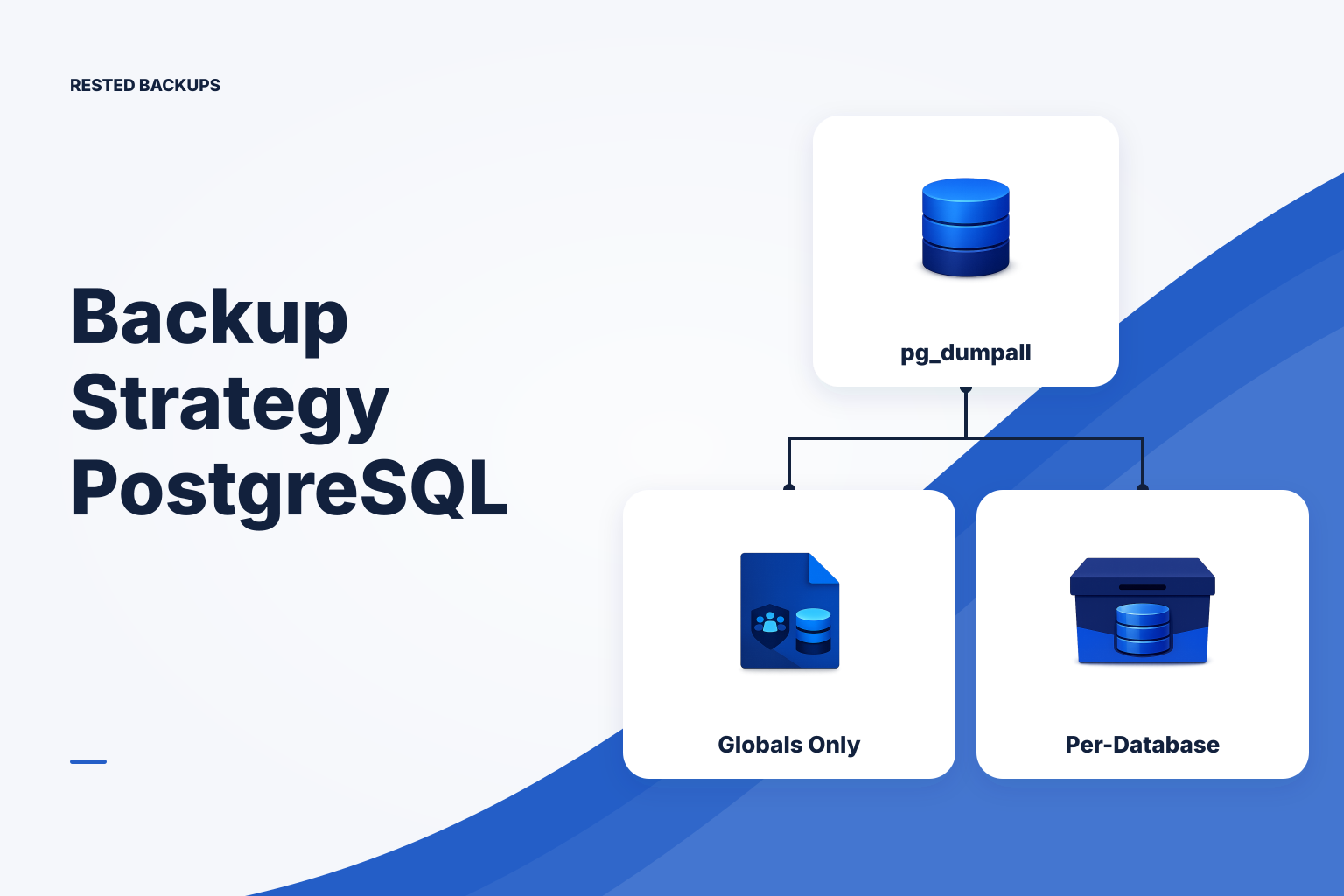
pg_dumpall cannot create a custom-format archive
The direct answer is that **pg_dumpall --format=custom is not a supported PostgreSQL backup command**. pg_dumpall produces a plain-text SQL script for an entire PostgreSQL cluster; unlike pg_dump, it does not provide custom (-Fc), directory, or tar archive formats. If you need a custom archive that pg_restore can inspect, selectively restore, or restore in parallel, dump each database with pg_dump --format=custom and capture cluster-wide globals separately.
This distinction matters during recovery. A full-cluster SQL script can recreate roles and databases in dependency order, but it is not a selectively restorable archive. A custom archive is flexible for one database, but it does not include every cluster-level object. PostgreSQL documents these tools separately in its [backup and restore documentation](https://www.postgresql.org/docs/current/backup.html), and a useful recovery plan deliberately combines them rather than expecting one unsupported command to cover both jobs.
This guide assumes a self-managed PostgreSQL server where logical backups are appropriate for the database size, recovery-time objective (RTO), and acceptable data-loss window, or recovery point objective (RPO). Physical backups, write-ahead log (WAL) archiving, and point-in-time recovery can be more appropriate when you need a more granular point in time or a faster recovery path. Logical dump success alone does not prove that the application will recover.
pg_dumpallcaptures all databases plus cluster-wide objects such as roles and tablespaces as plain SQL.pg_dumpcaptures one database and supports plain, custom, directory, and tar output formats.- Custom format (
-Fc) is restored withpg_restoreand supports archive inspection, object selection, and parallel restore where applicable.
Use globals plus one custom archive per database
For most small teams that want database-level recovery flexibility, use two logical backup layers: one pg_dumpall --globals-only file for roles and other cluster-wide definitions, plus one pg_dump -Fc archive for each application database. This makes the boundary explicit: restore globals first when a recovered cluster needs its identities and permissions, then restore the required database archive.
--globals-only is intentionally narrower than a whole-cluster dump. It is a practical way to preserve role definitions and tablespace definitions without producing a large plain SQL copy of every database. Your restore plan should also record which PostgreSQL major version produced the backup, required extensions, application secrets, and external dependencies such as object storage or message queues.
A full pg_dumpall SQL script remains reasonable when you specifically want a portable, human-readable all-databases export and accept a sequential SQL restore. It can be useful for a small cluster or an additional emergency artifact. Do not label it a custom archive, and do not assume that it offers the object-level restore controls of pg_restore.
- Cluster globals:
globals.sqlfrompg_dumpall --globals-only. - Application database: one archive such as
appdb.dumpfrompg_dump -Fc. - Recovery metadata: PostgreSQL version, database list, extension requirements, backup timestamp, and tested restore instructions stored outside the database alone.
Create the backup artifacts safely
Run the following illustrative commands from a controlled backup host or the PostgreSQL host, using a PostgreSQL client version compatible with your recovery plan. The account needs enough access to read the intended databases; exporting globals commonly requires a sufficiently privileged administrative connection. Replace placeholders, test first outside production, and do not place passwords directly in shell history, scripts, or command arguments. PostgreSQL client authentication can be supplied through a protected .pgpass file or another approved secret-delivery method.
The first command writes cluster-wide globals as SQL. The second writes one named database as a custom archive. set -euo pipefail causes this small example to stop on unset variables and command failures; it does not replace monitoring, retention, or a restore test. Write to a temporary directory on storage with enough capacity, then protect the resulting artifacts with your established off-host backup process.
- Illustrative globals export:
pg_dumpall --globals-only --file "$BACKUP_DIR/globals.sql" - Illustrative custom archive:
pg_dump --format=custom --file "$BACKUP_DIR/${PGDATABASE}.dump" "$PGDATABASE" - Useful manifest record:
psql --tuples-only --no-align --command 'SHOW server_version;' > "$BACKUP_DIR/postgresql-version.txt"
Inspect the archive and prove a restore in isolation
A custom-format file is not self-proving merely because pg_dump exited zero. First list its table of contents with pg_restore --list. The expected output is a readable inventory of archive objects—schemas, tables, data, functions, and other entries appropriate to the database. A listing failure, an unexpectedly tiny archive, or missing expected schemas is a backup incident to investigate before relying on that recovery point.
Restore only into an intentionally isolated PostgreSQL instance or disposable test environment. Never point a test restore at a production database. Create an empty test database, restore the custom archive, then run checks that are meaningful for your application: expected schema names, row-count spot checks, extension availability, and a safe application connection or smoke test. The restore sequence for a lost cluster can require restoring globals before application databases, but review generated SQL and permissions before applying globals to a shared target.
The commands below are illustrative. createdb prepares an empty target database; pg_restore loads the archive; psql runs a simple read-only verification query. The expected final result is a successful restore exit code and query output showing the expected table count. A passing table count is useful evidence, not complete application validation: your service may also depend on data content, migrations, roles, configuration, and services outside PostgreSQL.
- Inspect archive contents:
pg_restore --list "$BACKUP_DIR/appdb.dump" | less - Create an isolated target:
createdb --host "$RESTORE_HOST" --username "$RESTORE_USER" appdb_restore_test - Restore archive:
pg_restore --host "$RESTORE_HOST" --username "$RESTORE_USER" --dbname appdb_restore_test --exit-on-error "$BACKUP_DIR/appdb.dump" - Check restored relations:
psql --host "$RESTORE_HOST" --username "$RESTORE_USER" --dbname appdb_restore_test --command "SELECT count(*) AS tables FROM pg_tables WHERE schemaname NOT IN ('pg_catalog', 'information_schema');"
Automate the workflow and keep recovery evidence visible
Schedule exports at an interval derived from the data-loss window you can accept, then monitor both command failures and missing expected runs. Retain enough dated recovery points to cover the time it takes to discover an incident. A script should use an exclusive lock to prevent overlapping dumps, write a structured log, fail loudly on errors, and hand completed artifacts to your encrypted off-site backup process only after the dump commands complete.
This template is a starting point, not a production-ready universal script. Customize the directory, database name, authentication method, retention policy, logging destination, and alert hook. Review filesystem ownership and permissions so that dump files and logs do not expose data or credentials. Test the script and its restore path in a non-production environment before scheduling it.
bash
#!/usr/bin/env bash
# Illustrative PostgreSQL logical-backup wrapper; customize before production.
set -euo pipefail

: "${BACKUP_DIR:=/var/backups/postgresql}"
: "${PGDATABASE:=appdb}"
: "${RETENTION_DAYS:=14}"
: "${ALERT_HOOK:=}"  # Optional command or integration wrapper.

mkdir -p "$BACKUP_DIR"
exec 9>"$BACKUP_DIR/.pg-logical-backup.lock"
flock -n 9 || { echo "backup already running" >&2; exit 75; }

ts="$(date -u +%Y%m%dT%H%M%SZ)"
run_dir="$BACKUP_DIR/$ts"
mkdir -p "$run_dir"

fail() {
  printf '{"event":"postgres_backup_failed","timestamp":"%s"}\n' "$ts" >&2
  [ -z "$ALERT_HOOK" ] || "$ALERT_HOOK" "PostgreSQL backup failed: $ts"
  exit 1
}
trap fail ERR

pg_dumpall --globals-only --file "$run_dir/globals.sql"
pg_dump --format=custom --file "$run_dir/${PGDATABASE}.dump" "$PGDATABASE"
pg_restore --list "$run_dir/${PGDATABASE}.dump" > "$run_dir/${PGDATABASE}.toc"
psql --tuples-only --no-align --command 'SHOW server_version;' > "$run_dir/postgresql-version.txt"
find "$BACKUP_DIR" -mindepth 1 -maxdepth 1 -type d -mtime "+$RETENTION_DAYS" -print -exec rm -rf -- {} +
printf '{"event":"postgres_backup_complete","timestamp":"%s","database":"%s"}\n' "$ts" "$PGDATABASE"
If you already protect the resulting exports with restic, [Rested Backups](https://restedbackups.com) can keep the connected Linux server's schedule, encrypted backup outcomes, snapshots, and restore work visible in one workspace. It does not remove your responsibility to define the database scope, preserve the recovery key and storage access, or conduct the isolated restore test that proves the artifacts are usable.
- Confirm every database that needs its own custom archive is explicitly included; do not assume one application database represents the cluster.
- Alert when a scheduled run fails and when no successful artifact appears within the expected interval.
- Copy the completed dumps, globals file, and recovery metadata to encrypted storage outside the database host.
- Perform a scheduled isolated restore and record the archive date, restore duration, validation result, and any missing dependency.
Use this pg_dumpall --format=custom checklist
Treat pg_dumpall --format=custom as a design decision to correct, not a syntax variation to troubleshoot. Use pg_dumpall --globals-only for cluster-level SQL, use pg_dump -Fc for each database that needs archive-based recovery, preserve both artifacts off-host, and test a restore into an isolated target. That gives you evidence about the actual recovery path rather than confidence based only on a completed upload.
- Replace unsupported syntax: do not run
pg_dumpall --format=custom; run separate globals and per-database archive commands. - Protect authentication: use a restricted secret mechanism such as
.pgpass; never embed passwords in the script or scheduler entry. - Inspect every new custom archive with
pg_restore --listand investigate missing expected objects. - Restore a representative recovery point into an isolated instance and complete database plus application-relevant checks.
- Keep the restore order, version information, extension requirements, storage location, and recovery-key ownership with the recovery plan.
Technical basis
First-party references
Technical claims and limitations in this guide were checked against these primary sources. Confirm version-specific behavior when designing a production recovery process.
Related from Rested
Common questions
Frequently asked questions
Why does pg_dumpall not support --format=custom?
pg_dumpall is designed to emit a cluster-wide SQL script, including objects that sit outside an individual database. PostgreSQL provides archive formats through pg_dump, which operates on one database at a time. Use separate per-database custom archives when archive features are required.
Can I restore a custom pg_dump archive with psql?
No. A custom-format archive should be processed with pg_restore. psql is used for plain SQL scripts, including output from pg_dumpall and pg_dumpall --globals-only.
Do I need pg_dumpall --globals-only if I only restore one application database?
Not always. A restore into an existing environment may already have the required roles. However, preserve globals when roles, ownership, permissions, or tablespaces are part of a complete recovery plan. Test the intended target scenario so you know whether the archive has the identities it requires.
Can pg_restore run in parallel?
Parallel restore is supported for archive formats that permit it, notably directory format and custom format in applicable restore scenarios. It requires a suitable target and sufficient resources. Test it with your PostgreSQL version, archive, and recovery environment rather than assuming it will meet a particular RTO.
Is a pg_dump custom archive enough for point-in-time recovery?
No. A logical archive represents the state captured by that dump. Point-in-time recovery requires a physical backup strategy plus continuous WAL archiving and an operationally tested recovery procedure. Choose that design when restoring to a time between scheduled logical dumps is a requirement.