Preview PostgreSQL backup data before you restore
Open a PostgreSQL backup, browse its tables, and inspect snapshot rows before choosing what to restore—with data sealed directly to your browser.
A smaller question before the big restore
Database recovery often starts with an awkward choice: restore a large dump just to discover what is inside, or trust a timestamp and hope it is the recovery point you meant to select. Filenames, snapshot IDs, and successful job states are useful evidence, but they do not show whether a customer record, migration, or business event exists in that snapshot.
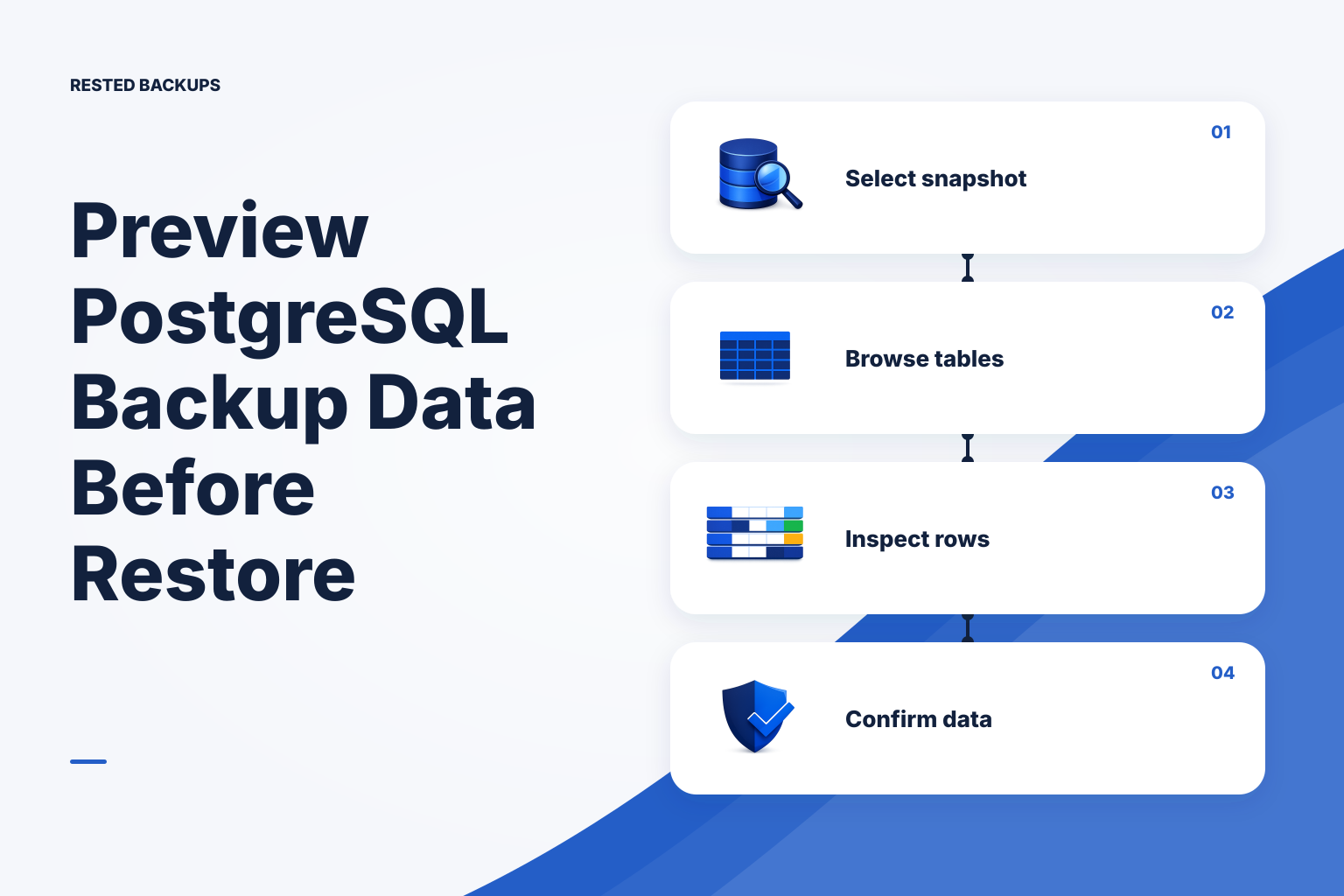
PostgreSQL database previews in Rested close that gap. Open a snapshot, search its user tables, select one, and inspect columns and representative rows before you start a recovery. The preview gives an operator a direct look at captured data while keeping the actual restore decision separate and explicit.
What the PostgreSQL backup preview shows
The snapshot browser lists ordinary and partitioned user tables by schema and name. Where PostgreSQL has a planner estimate, Rested shows an approximate row count; an estimate is orientation, not an exact count. Select a table to see column names, PostgreSQL data types, nullability, and up to 50 rows at a time.
Search narrows the table list when a database contains many schemas or similarly named tables. Previous and next controls move through the row preview without trying to load a complete table into the browser. Values such as UUIDs, timestamps, booleans, JSON, and NULL remain visibly distinct enough to answer the practical question: does this recovery point contain the data I expect?
The preview comes from the backup, not the live tables
Rested does not run the preview query against the source database. The agent retrieves the selected custom-format dump from the encrypted backup repository, creates a separately named temporary database on the configured PostgreSQL server, and restores the dump there with pg_restore. Table discovery and row reads then run against that restored copy.
That boundary prevents the inspector from reading or overwriting source tables, but it does not make the operation free. Restoring a dump uses CPU, memory, disk, and database connections on the configured server. The PostgreSQL account also needs permission to create and remove the temporary database. Run previews with the same capacity awareness you would apply to a restore rehearsal, especially on a busy or space-constrained host.
Snapshot rows are sealed directly to the browser
A row preview can contain the same sensitive values as the application database. When the browser opens the inspector, it creates a short-lived encryption key pair in memory and sends only the public key with the request. After the agent queries the temporary database, it encrypts the result for that browser key before returning it through the Rested control plane.
The browser keeps the private key and opens the result locally. The control plane handles the sealed response rather than readable table content. This preserves the product boundary used for protected backup credentials: operational coordination can happen centrally without turning the service into a place that can inspect customer database rows.
What a preview proves—and what it does not
A successful preview is meaningful recovery evidence. It proves that the selected restic snapshot can yield the expected PostgreSQL dump, that pg_restore can load it into a temporary database in the current environment, and that the restored database exposes tables, column definitions, and readable rows. That is more evidence than a completed upload alone.
It is not a complete restore test. A preview does not start the application, validate every row, exercise extensions, check background workers, recreate cluster-wide roles, measure cutover time, or prove that the target infrastructure can carry production traffic. Keep periodic recovery rehearsals in the plan and verify application-specific invariants after a full isolated restore.
Current scope and limits
The first release supports Rested's single-database PostgreSQL and Docker PostgreSQL recipes when they produce a custom-format pg_dump archive. Server-wide pg_dumpall snapshots are plain SQL scripts with cluster-wide scope, so they are not available in the preview yet. Restore those into an isolated PostgreSQL cluster when you need to inspect every database, role, or other global object.
The repository must be initialized, the selected snapshot must still exist, and the agent must be online. Rested keeps the temporary inspector database warm for ten minutes after the last use so moving between tables does not repeat the entire restore. It then removes the temporary database; choosing refresh forces a new inspector session and a fresh restore.
- Treat approximate table counts as planner estimates, not audit totals.
- Use the preview to choose and examine a recovery point, not to edit it.
- Allow enough temporary disk space for the restored database.
- Expect restore time to grow with dump size, indexes, and database complexity.
A practical pre-restore workflow
Start with the incident question. If a deployment removed data at 14:20, compare the last snapshot before the change with the first snapshot after it. Search for the affected table, inspect a few identifying values, and record the snapshot ID that contains the intended state. Avoid treating the newest snapshot as automatically correct; it may already include the unwanted change.
Once the preview identifies a candidate, restore it into an isolated target and run the application's recovery checks. Confirm migrations, extensions, ownership, row-level invariants, and representative user flows. Keep the preview result, restore logs, elapsed time, and final validation together as evidence for the recovery decision.
- Choose the snapshot that matches the incident timeline.
- Confirm the expected schemas, tables, and a few known records.
- Restore the candidate into an isolated database or environment.
- Validate the application before approving any production replacement.
From backup visibility to recovery confidence
Backup tooling usually stops at status: the run completed, bytes were uploaded, and a snapshot ID exists. PostgreSQL backup previews add a more useful layer of evidence at the moment an operator needs it. You can move from a timestamp to actual captured structure and data without making production the first place you test your assumption.
That makes recovery faster to reason about, not magically risk-free. The best result is a short chain of evidence: a healthy encrypted backup, a browsable recovery point, a successful isolated restore, and application checks that another operator can repeat. The preview makes the first high-pressure decision in that chain considerably easier.
Technical basis
First-party references
Technical claims and limitations in this guide were checked against these primary sources. Confirm version-specific behavior when designing a production recovery process.
Related from Rested
Common questions
Frequently asked questions
Does the PostgreSQL preview query my live application tables?
No. The agent restores the selected dump into a separately named temporary database and queries that restored copy. The operation still uses resources on the configured PostgreSQL server and requires create and drop database privileges.
Can the Rested control plane read previewed database rows?
The agent seals the inspector result to a short-lived public key created by your browser. The matching private key stays in browser memory, so the control plane receives the encrypted result rather than readable row data.
Can I preview a pg_dumpall backup?
Not in the first release. Preview supports single-database custom-format pg_dump snapshots. A pg_dumpall backup is a broader plain SQL script and should be inspected through an isolated cluster restore.
Is a database preview the same as a PostgreSQL restore test?
No. It proves that the selected dump can be restored far enough to browse tables and rows in the current environment. A full test also verifies extensions, roles, application behavior, recovery time, target capacity, and the final cutover procedure.
How long does Rested keep the temporary preview database?
The agent keeps it available for ten minutes after the last inspector use so table navigation stays responsive, then removes it. A manual refresh discards the warm session and creates a new preview from the backup.