Restic S3 backup checklist: build and prove recovery
A practical restic S3 backup checklist for scope, S3 permissions, encrypted repositories, retention, monitoring, and tested restores.
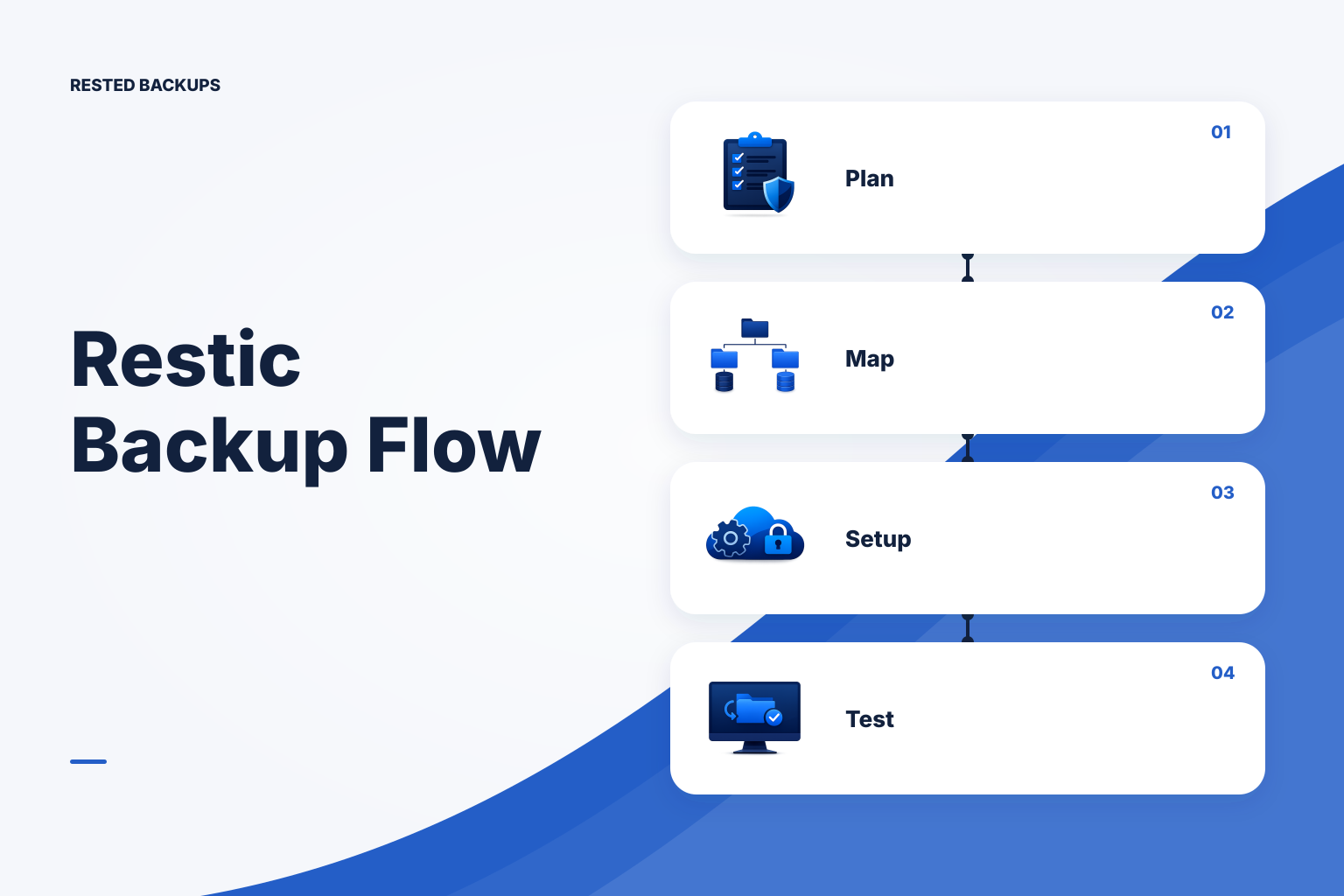
Start with the recovery outcome, not the S3 bucket
A useful **restic S3 backup checklist** starts by defining what you must recover and how you will prove it. Creating an encrypted repository and seeing a successful upload is necessary, but it does not show that you captured the right data, retained the right snapshot, or can rebuild the service under pressure. Treat the S3 repository as one component of a recovery procedure.
Before configuring credentials or schedules, name the recovery target: a single deleted file, an application deployment, a database at a recent point in time, or an entire Linux host. Then decide who can access the storage account, who holds the repository password or recovery key, where a restore may safely be written, and what evidence will count as a successful test. This prevents an apparently healthy backup job from concealing an incomplete recovery plan.
Write down the maximum acceptable data-loss window and the maximum acceptable service interruption. These are commonly called the recovery point objective (RPO) and recovery time objective (RTO). They are planning decisions, not properties automatically supplied by restic or S3: backup frequency affects the former, while restore size, database recovery steps, credentials, and testing affect the latter.
- Identify the service, paths, databases, uploads, configuration, and secrets or secret references required to make it work again.
- Choose a backup schedule based on the amount of recent data the service can afford to lose.
- Choose an isolated restore target that will not overwrite production data during a test.
- Record repository location, S3 account and prefix, credential owner, password or recovery-key owner, and the restore runbook location.
Map the data that actually changes and choose a consistent capture method
Inventory the persistent state on the server rather than assuming the application directory is sufficient. Common omissions include user uploads, generated assets, environment or deployment configuration, TLS material, scheduled-job state, and data stored outside the code checkout. For containers, inspect the volumes and bind mounts actually used by the running workload; Docker distinguishes managed volumes from bind mounts, and both can hold state that a replacement container will need. The [Docker volumes documentation](https://docs.docker.com/engine/storage/volumes/) is a useful reference when tracing where persistent container data lives.
Do not treat a live database data directory as an ordinary file tree unless the database engine and your recovery design explicitly support that approach. For many small-team PostgreSQL workflows, produce a database-aware backup artifact first and then protect that artifact with restic. PostgreSQL documents logical and physical backup methods, their scope, and their different restore procedures in its [backup and restore documentation](https://www.postgresql.org/docs/current/backup.html). Your chosen method must match the database objects and recovery behavior you need.
Revisit this map after migrations, Compose changes, new mounts, changed upload locations, or new databases. Backup coverage can drift while the job remains green because restic can faithfully back up yesterday’s path list even after the live service begins writing elsewhere.
- List application data, user uploads, generated files, and configuration required after deployment.
- For each database, document the engine-aware backup command or supported recipe, output location, required roles, and restore command.
- Map named volumes, bind mounts, and host paths to the service that consumes them.
- Review exclusions carefully so caches and temporary files are excluded intentionally without excluding live state.
Configure S3 access and repository boundaries deliberately
Create or select storage under an account your team owns or controls, then give each repository a distinct prefix. A per-repository prefix limits accidental overlap between unrelated environments and makes it clearer which credentials and retention rules affect which recovery data. Record the bucket, region or endpoint, prefix, and any storage-provider settings in the recovery runbook; the repository location itself is recovery-critical information.
Grant the identity used by the backup host only the object-storage actions the repository requires, scoped to the intended bucket and prefix. In practice, a repository needs to list objects and read, write, and delete objects as its operation and pruning policy require; the exact policy syntax depends on the provider and configuration. Review the [Amazon S3 User Guide](https://docs.aws.amazon.com/AmazonS3/latest/userguide/Welcome.html) alongside your provider’s IAM documentation rather than copying a broad account-level policy into production.
Initialize the repository only after you have a safe way to preserve the repository password or recovery key outside the server being protected. Restic encrypts repository data, and the password is required to access it; losing it can make the encrypted repository unusable. Use the [Restic documentation](https://restic.readthedocs.io/en/stable/) to confirm repository URL syntax, credential configuration, and commands for your installed restic version.
Keep production and non-production data in separate repositories when their access, retention, or recovery requirements differ. Separation reduces the chance that a staging credential can affect production backup objects and gives each environment its own operational history. It is not a replacement for correctly scoped IAM permissions, protected credentials, or tested restores.
- Assign a unique bucket prefix for every repository and record it with the server and environment name.
- Store storage credentials where the backup process can use them without placing them in source control or casual shell history.
- Store the repository password or recovery key in a protected, team-accessible recovery process; verify access by policy, not assumption.
- After initialization, verify that the intended identity can access only the expected repository location and that an unexpected identity cannot.
Schedule backup work, retention, and failure visibility as one system
Run any database-aware export before the restic backup captures its output, and make failure in that export stop the backup workflow rather than silently protecting an old artifact. Likewise, make sure the agent host is online and can read the selected paths when the schedule runs. A scheduled job that never starts, loses storage access, or backs up stale export files needs a visible failure signal, not merely a cron entry.
Set retention according to the recovery points you need to keep across short incidents, delayed discovery, and longer business cycles. Retention removes snapshots from the policy view; cleanup of no-longer-referenced repository data is a separate operational concern. Before changing retention or pruning, identify the oldest snapshot you may need and confirm that no legal, operational, or recovery requirement depends on it.
For a small fleet, [Rested Backups](https://restedbackups.com) can keep encrypted restic schedules, run outcomes, snapshots, and restore work visible in one workspace while the team retains control of its configured storage and recovery key. That visibility is useful for spotting a missed run or repeated failure, but it does not remove the need to define scope, maintain storage permissions, and test the service-level restore.
Monitor both explicit command failures and missing expected runs. A job can be absent because a host was offline, a scheduler was disabled, credentials changed, or a deployment removed the backup configuration. Review recent run history and snapshot freshness against the schedule you chose, then investigate deviations before the next incident makes them consequential.
- Order the workflow so database artifacts are created successfully before restic captures them.
- Document the retention rule, the person responsible for reviewing it, and the circumstances that require a change.
- Alert on failed jobs and on an expected backup not appearing within the agreed operating window.
- Periodically verify storage credentials, quotas, bucket policies, and lifecycle rules against the repository’s needs.
Prove the restore path before an outage forces it
A restore test should begin by selecting a specific snapshot and end with evidence that the recovered data works for its intended purpose. Restore into an isolated directory, host, container, or database target. Inspect files, ownership, permissions, and configuration; for a database, perform the documented restore procedure and run safe application or database checks against the restored copy.
Repository integrity checks are valuable evidence that stored data can be read and validated, but they answer a narrower question than application recovery. A healthy check does not show that the backup included every required path, that a database artifact can be loaded, or that the restored application has its dependencies and credentials. Combine repository checks with contained restore tests and record both results.
Record the snapshot identifier or timestamp, restore target, commands or workflow used, elapsed time, validation performed, failures found, and corrective actions. This turns a restore test into an operational artifact: the next person does not have to rediscover the bucket location, password owner, database order, or application checks during an incident. For a more detailed practice run, use this [VPS backup restore test checklist](/blog/vps-backup-restore-test-checklist).
The next concrete step is simple: choose one current snapshot this week, restore it somewhere safe, and verify one real workload outcome. If that test reveals missing data, permissions, keys, documentation, or time, fix the plan and repeat it; the useful backup is the one your team can actually recover.
- Select a known snapshot by date and scope instead of testing only the newest one by habit.
- Restore to a non-production target so validation cannot corrupt the live service.
- Validate the recovered workload: open representative files, load the database artifact, start the service where appropriate, and check expected data.
- Keep the restore evidence with the runbook and turn every failed test into a tracked improvement.
Technical basis
First-party references
Technical claims and limitations in this guide were checked against these primary sources. Confirm version-specific behavior when designing a production recovery process.
Related from Rested
Common questions
Frequently asked questions
What S3 permissions does a restic backup repository need?
The backup identity generally needs to list repository objects and read and write them. Delete permission may also be needed when your retention workflow prunes unreferenced data. Scope those permissions to the specific bucket and repository prefix, then validate the policy with the storage provider’s documentation and a non-production test where possible.
Can I back up a running PostgreSQL data directory with restic?
Do not assume that copying a live PostgreSQL data directory produces a usable database recovery point. Use a PostgreSQL-supported logical or physical backup method that matches your recovery needs, then use restic to encrypt and store the resulting artifact. Test the actual database restore procedure separately.
How often should I run restic backups to S3?
Choose frequency from the amount of recent data you can accept losing. If losing up to a day of changes is acceptable, a daily recovery point may fit; if it is not, you need a more frequent workflow and must confirm that the export, upload, storage cost, and restore process remain practical. Frequency alone does not determine how quickly you can restore.
Is a successful restic snapshot enough to prove the backup works?
No. A successful snapshot shows that restic completed the work it was assigned with the available source data and credentials. It does not prove the assignment covered all application state, that a database artifact restores cleanly, or that the service will function after recovery. Perform isolated restore tests and record the outcome.
What happens if I lose the restic repository password or recovery key?
Encrypted repository access depends on that secret. Preserve it in a protected process that authorized team members can use during recovery, independently of the server and S3 credentials. Do not rely on a backup service or storage provider to recover a lost restic password or recovery key.